meta
The meta section controls the form window itself – its title, size, position, and opacity. It also lets you add documentation metadata like the form's name and version, and configure keyboard shortcuts.
Optional Section
If you skip this section, the window uses default settings (800×800 pixels, fully opaque, centered).
What Meta Controls
Think of meta as answering three questions:
- What is this form? — Name, description, version, author (useful when you have many forms)
- How should the window appear? — Title bar text, window size, position, transparency
- How do I interact with it? — Keyboard shortcuts for submitting, resetting, or closing
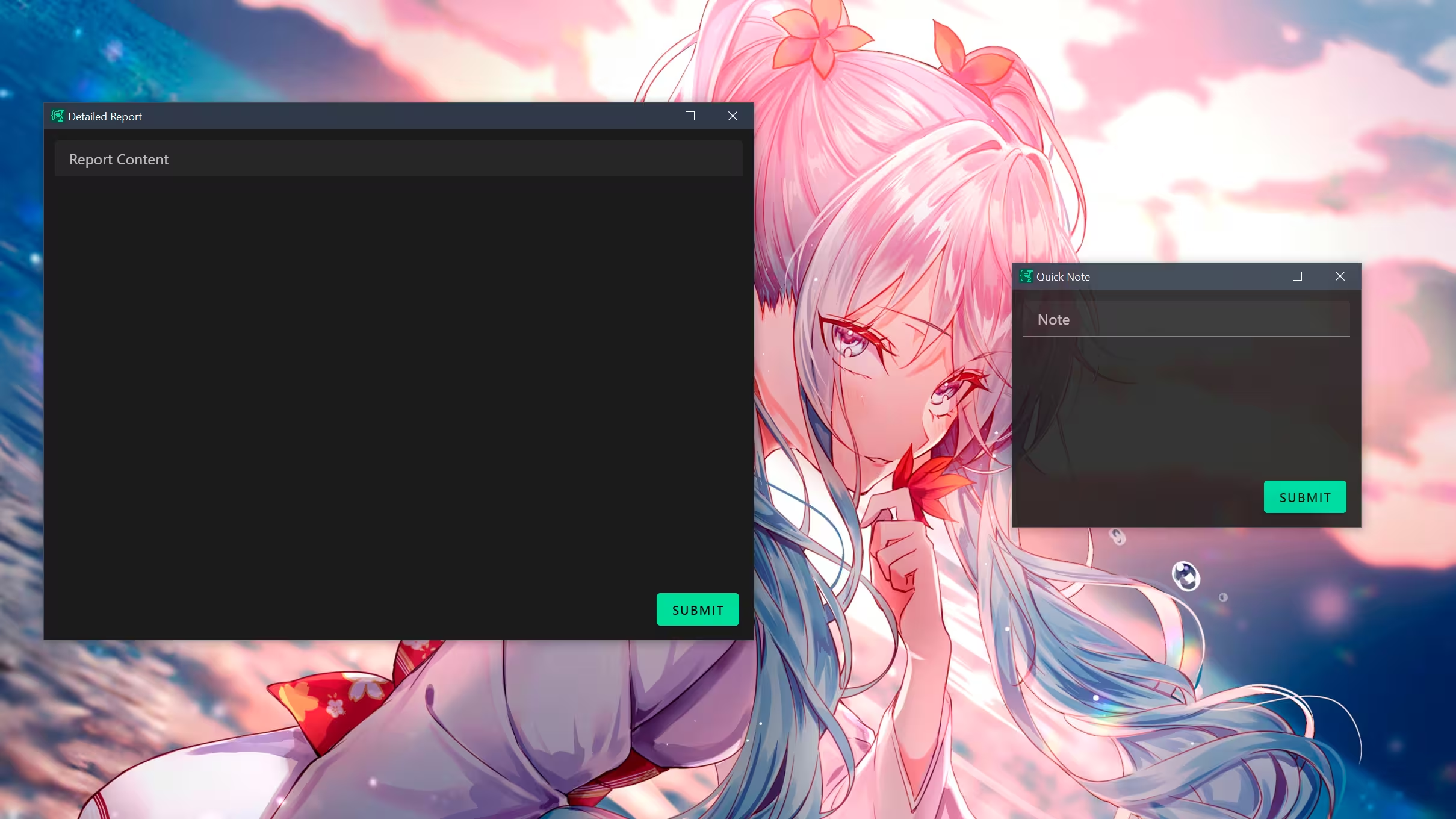 Two forms with different
 meta.window settings: a large, semi-transparent window on the left and a small, opaque window on the right. Anime girl in the background.
Example Usage
meta:
  name: Follow-up Email
  description: A template for sending follow-up emails...
  version: 1.0.0
  window:
    title: EDF Email
    opacity: 0.7
    height: 500
    width: 500
    x: 0
    y: 0
  hotkeys:
    submit: "ctrl+s"
    reset: "ctrl+r"
Properties
Complete list of available properties in meta:
| Property | Type | Description | Default Value |
|---|---|---|---|
name | string | Name of form | - |
description | string | Description of form | - |
version | string | Version of form | - |
author | string | Author of form | - |
Window Configuration
Properties under meta.window:
| Property | Type | Description | Default Value |
|---|---|---|---|
title | string | Window title | "Espanso Dynamic Forms" |
width | number | Window width in pixels | 1500 (dev) / 800 (prod) |
height | number | Window height in pixels | 800 |
opacity | number | Window opacity (0.0 - 1.0) | 1.0 |
x | number | Initial window X position | - |
y | number | Initial window Y position | - |
Hotkeys Configuration
Properties under meta.hotkeys.
Format
Shortcuts are defined as strings using common modifiers (ctrl, alt, shift) and keys joined by +. Case insensitive. Examples: ctrl+enter, shift+s.
| Property | Type | Description | Default Value |
|---|---|---|---|
submit | string | Hotkey to submit form | ctrl+enter |
reset | string | Hotkey to reset form | - |
close | string | Hotkey to close form | - |