Date Picker Form
A simple form demonstrating date input with custom formatting and Liquid date filters.
Source: date.yml
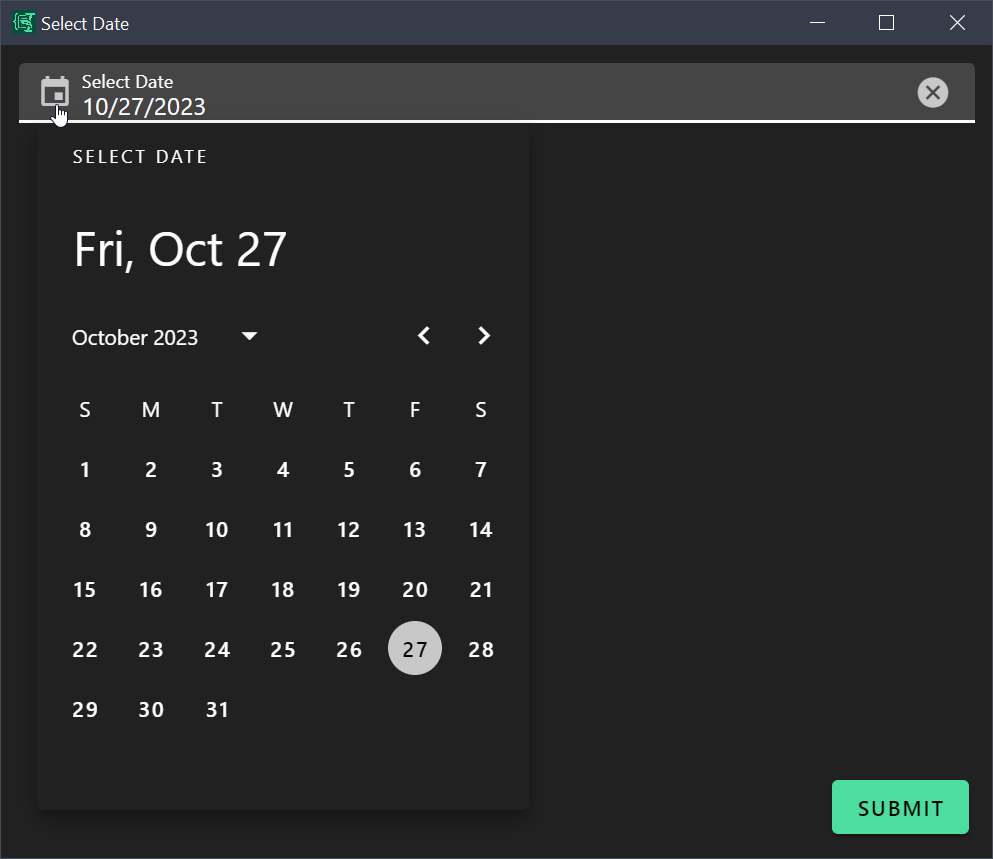
What It Does
This form shows how to create a date picker field and format output using Liquid date filters. It demonstrates:
- Date type field with
format: date - Custom display and save formats
- Liquid date formatting in output
- Default value set to current date
Use Case
Insert formatted dates quickly for meeting dates, deadlines, timestamps, or any other date reference.
Example output:
My special date is Monday – 2024 • Jan • 15Form Configuration
yml
schema:
  type: object
  properties:
    mydate:
      type: string
      format: date

uischema:
  type: VerticalLayout
  elements:
    - type: Control
      scope: "#/properties/mydate"
      label: Select Date
      options:
        dateFormat: DD.MM.YYYY
        dateSaveFormat: YYYY-MM-DD

data:
  mydate: "{{ 'now' | date: '%Y-%m-%d' }}"

template: |
  My special date is {{ mydate | date: "%A – %Y • %b • %d" }}

# see https://shopify.github.io/liquid/filters/date/
Key Features
Date Format Options
Control how dates are displayed and saved:
yml
options:
  dateFormat: DD.MM.YYYY      # Display format in the picker
  dateSaveFormat: YYYY-MM-DD  # Format stored in data
Current Date Default
Use Liquid's date filter to default to today:
yml
data:
  mydate: "{{ 'now' | date: '%Y-%m-%d' }}"
Liquid Date Formatting
Format the output date any way you like:
yml
template: |
  {{ mydate | date: "%A – %Y • %b • %d" }}
Date Format Reference
| Format | Output | Description |
|---|---|---|
%Y | 2024 | 4-digit year |
%m | 01 | Month (01-12) |
%d | 15 | Day (01-31) |
%A | Monday | Full weekday name |
%B | January | Full month name |
%b | Jan | Abbreviated month |
%H | 14 | Hour (00-23) |
%M | 30 | Minute (00-59) |
See Liquid date filter documentation for all options.
Espanso Trigger
yml
matches:
  - trigger: ':date'
    replace: '{{output}}'
    force_mode: clipboard
    vars:
      - name: output
        type: script
        params:
          args:
            - C:/Program Files/Espanso Dynamic Forms/EDF.exe
            - --form-config
            - \{\{env.EDF_FORMS}}/date.yml
Customization Ideas
- Add a time picker for datetime stamps
- Create multiple date fields (start date, end date)
- Add a "days from now" calculation
- Create date presets (Today, Tomorrow, Next Monday)
- Output in ISO 8601 format for technical use