schema
The schema section defines what fields your form has, what type of data each field accepts, and what validation rules apply.
Under the hood, Espanso Dynamic Forms uses JSON Forms to render form controls and AJV to validate input. You don't need deep knowledge of either library, this page covers everything you need.
Required Section
Every form config must include a schema. Without it, the form won't render.
Basic Structure
Every schema starts with a root object that contains your form fields:
schema:
  type: object
  properties:
    # your field definitions go here
  required:
    # list of required field names (optional)
Each property you define in properties becomes a form field. You'll reference these same names in uischema to control how they appear, in data to set defaults, and in template to format output.
Example Schema
Here is an example schema defining a simple form with three fields: name, age, and gender, where name is a required field with length validation, age is a number with value constraints, and gender is a string with predefined options:
schema:
  type: object # The schema is an object
  properties: # Here we define the form fields
    name: # Field name
      type: string # Field type
      minLength: 2 # Minimum length validation
      maxLength: 50 # Maximum length validation
    age:
      type: number
      minimum: 0 # Minimum value validation
      maximum: 120 # Maximum value validation
    gender:
      type: string
      enum: # Allowed values
        - Male
        - Female
  required: # List of required fields
    - name
Field Types
Choose the right type for each field—it determines how the field looks, what input it accepts, and what data you get in your template.
| Type | Renders As | Use For |
|---|---|---|
string | Text input, textarea, or dropdown | Names, descriptions, selections |
number | Numeric input (decimals allowed) | Prices, ratings, percentages |
integer | Numeric input (whole numbers only) | Counts, IDs, quantities |
boolean | Checkbox | Toggles, confirmations |
array | Multi-select, checkboxes, or dynamic list | Multiple selections, file uploads |
object | Grouped fields or special controls | File metadata, nested structures |
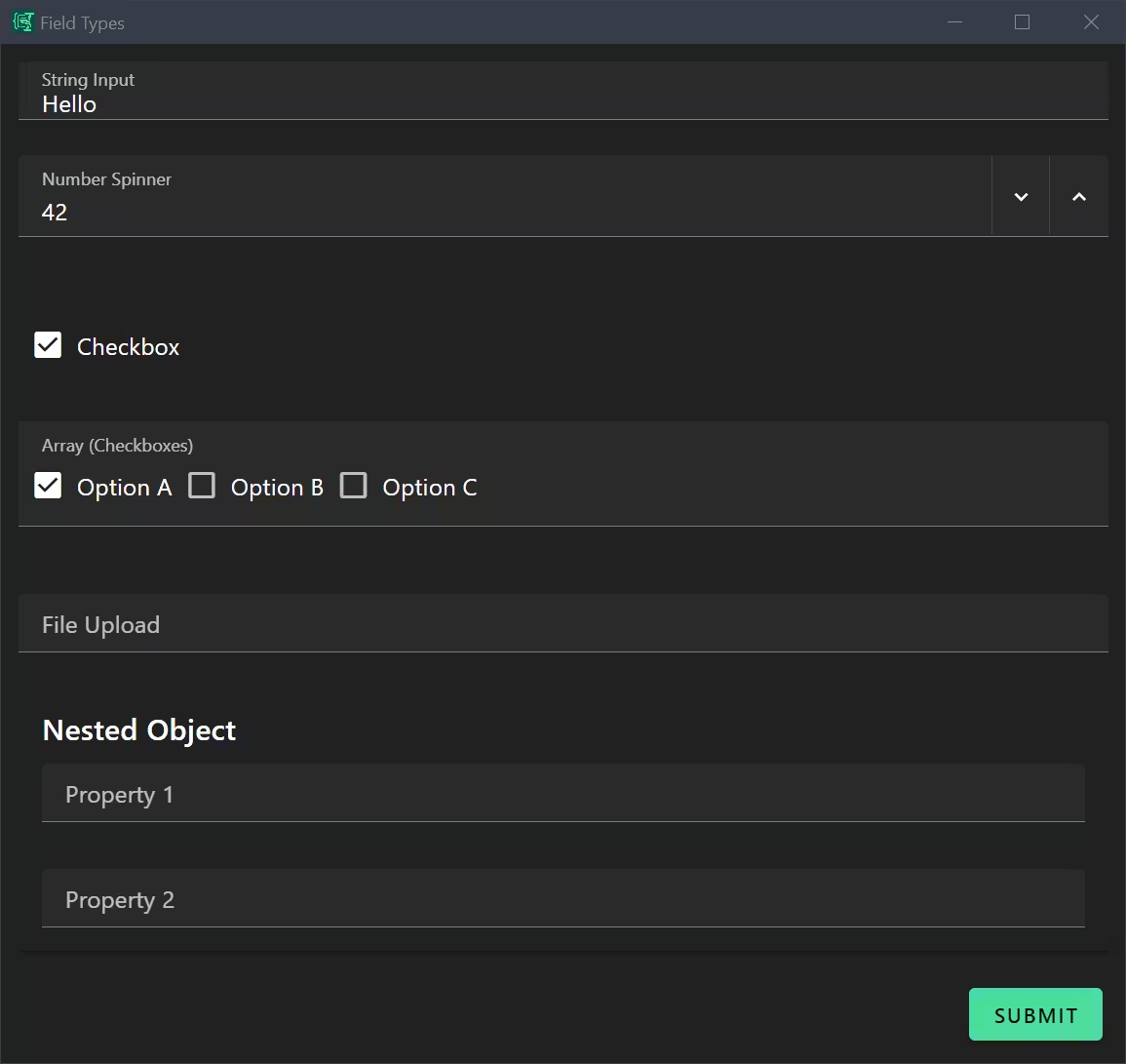 Exact representation depends on additional keywords and
 uischema
Full Type Reference
For all JSON Schema types and options, see AJV JSON Schema documentation.
String Fields
String fields are the most common type and can be rendered as single-line text inputs, multi-line textareas, or selection controls.
properties:
  subject:
    type: string
  description:
    type: string
Array Fields
Arrays support two patterns: collections of primitives (for multi-select controls) and collections of objects (for dynamic lists):
Array of Strings with Enum
properties:
  selections:
    type: array
    items:
      type: string
      enum:
        - First choice
        - Second choice
        - Third choice
    uniqueItems: true
Array of Objects
properties:
  variables:
    type: array
    items:
      type: object
      properties:
        type:
          type: string
        name:
          type: string
Enum-Based Selection Controls
Enums define options for selection controls. Presentation (dropdown, radio buttons, or checkboxes) is controlled by UI schema, but allowed values are defined in the schema:
String Enum (Single Selection)
This creates a set of mutually exclusive options. The UI schema determines whether they render as a dropdown (format: select) or radio buttons (format: radio):
properties:
  taskType:
    type: string
    enum:
      - discuss
      - explain
      - fix
      - improve
Array Enum (Multiple Selection)
This enables multi-select controls (typically checkboxes). uniqueItems: true prevents duplicate selections:
properties:
  requirements:
    type: array
    items:
      type: string
      enum:
        - No regressions to existing behavior
        - Match existing code style in the file
        - Keep functions small and focused
    uniqueItems: true
Nested Objects in Arrays
For dynamic lists where users can add/remove entries with multiple fields:
properties:
  variables:
    type: array
    items:
      type: object
      properties:
        type:
          type: string
        name:
          type: string
Formats
The format keyword provides semantic meaning to field types, enabling specialized UI controls and validation:
| Format | Description | Rendered Control | Example |
|---|---|---|---|
date | Date value (ISO 8601) | Date picker | format: date |
time | Time value | Time picker | format: time |
date-time | Combined date and time | Date-time picker | format: date-time |
email | Email address | Email input with validation | format: email |
file | File upload (custom EDF extension) | File upload control | type: array, format: file |
Date Format
This renders an input field with a calendar icon, which opens a date picker when clicked:
properties:
  mydate:
    type: string
    format: date
Date Format Options
See this example form for date formatting options.
File Format
The file format is a custom extension in Espanso Dynamic Forms that allows users to upload files. It can be used with both object and array types to handle single or multiple file uploads, respectively.
# Multiple file upload
properties:
  myFiles:
    type: array
    format: file
Reusable Definitions
You can avoid repetition by defining properties once and referencing them with $ref.
schema:
  definitions:
    address:
      type: object
      properties:
        street: { type: string }
        city: { type: string }
        zip: { type: string }

  type: object
  properties:
    billingAddress:
      $ref: "#/definitions/address"
    shippingAddress:
      $ref: "#/definitions/address"
This is standard JSON Schema functionality. Note that only internal references (starting with #) are supported.
Common Patterns
Multi-Line Text Fields
String properties without special formatting become text inputs. The UI schema controls whether they render as single-line or multi-line:
schema:
  properties:
    issue:
      type: string

uischema:
  elements:
    - type: Control
      scope: '#/properties/issue'
      options:
        multi: true  # renders as textarea
Optional String Arrays for Custom Input
Pattern for allowing users to add custom options beyond predefined enums:
properties:
  requirements:
    type: array
    items:
      type: string
      enum: [...]
  customRequirements:
    type: array
    items:
      type: string
This creates two controls: checkboxes for predefined options and a text input array for custom additions. template can merge them using Liquid:
{% assign allRequirements = requirements | concat: customRequirements %}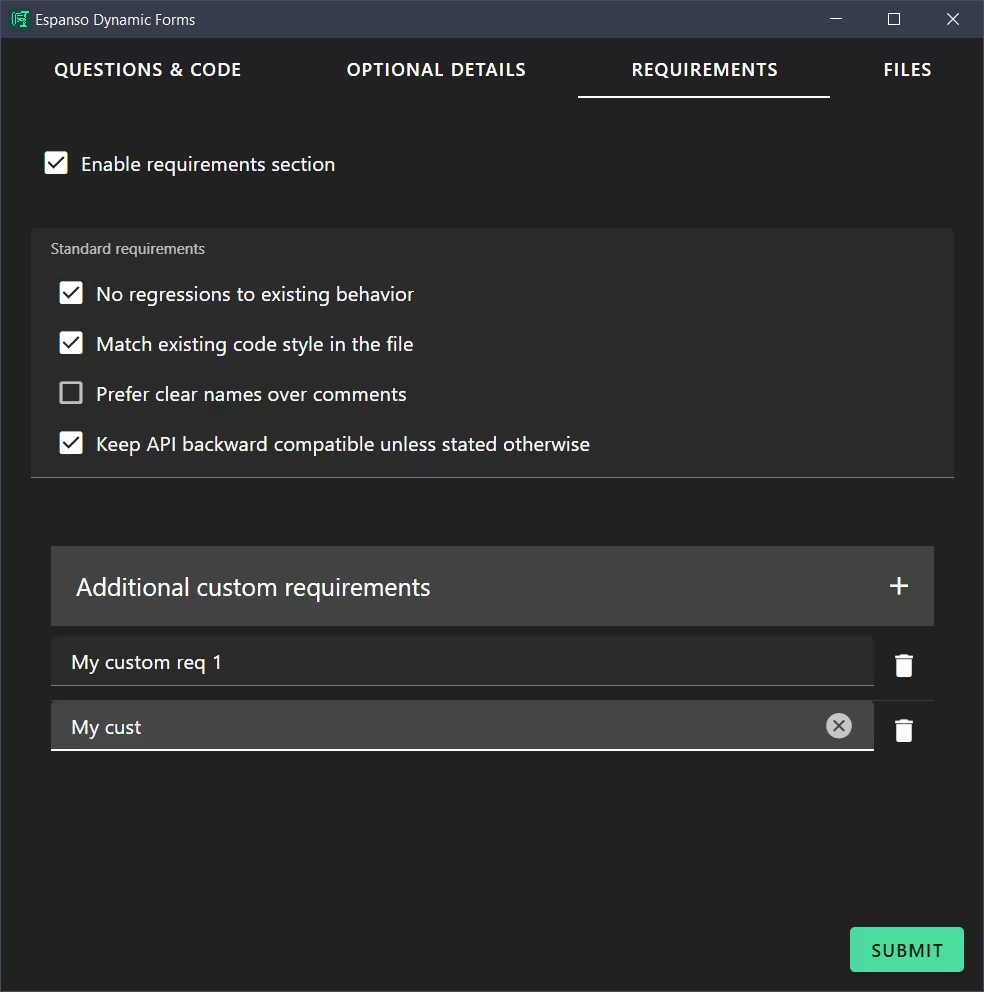
File Uploads
Espanso Dynamic Forms also defines a custom renderer for object and array field types when they are combined with format: file. This form config renders a file picker and outputs the text content of the selected file on submit:
schema:
  type: object
  properties:
    myFileFormField:
      type: object
      format: file
      accept: '.txt,.md' # Optional - restrict file types

uischema:
  type: VerticalLayout
  elements:
    - type: Control
      scope: "#/properties/myFileFormField"

template: {{ myFileFormField.text }}
Validation
Validation is handled by the Ajv JSON schema validator, which supports a wide range of validation keywords.
Some commonly used validation keywords include:
required- to make a field mandatoryminLengthandmaxLength- for string length constraintsminimumandmaximum- for numeric value constraintspattern- for regex pattern matchingenum- to restrict values to a predefined listanyOf,oneOf,allOf- for complex validation scenariosformat- for specific data formats like email, date, uri, etc.
Refer to the JSON Schema Validation documentation for a comprehensive list of validation keywords and their usage.