Email Form
A form for quickly drafting follow-up emails with customizable subject, priority, and recipient.
Source: email.yml
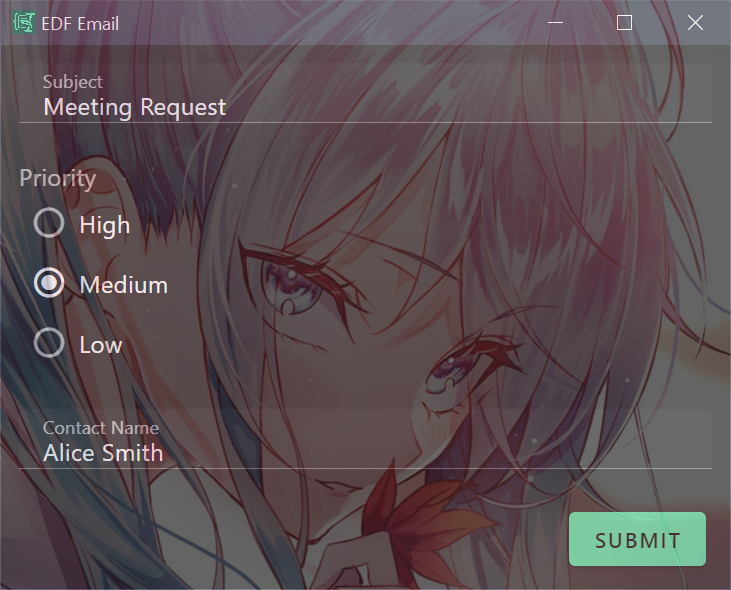 Screenshot of the semi-transparent Email form with subject, priority radio buttons, and contact name
What It Does
This form helps you compose professional follow-up emails by collecting key information and formatting it into a ready-to-send message. It demonstrates:
- Window customization (title, size, opacity, position)
- Radio button selection
- Required field validation
- Liquid filters (
upcase,capitalize)
Use Case
Use this form after meetings, calls, or conversations when you need to send a quick follow-up email. Copy subject or topic to your clipboard, trigger the form, and get a formatted email draft.
Example output:
Subject: Project timeline discussion
Priority: HIGH

---

Hi Sarah,

Just following up on our conversation about Project timeline discussion.

Regards,
Me
Form Configuration
meta:
  name: Follow-up Email
  description: A template for sending follow-up emails based on a given subject, priority, and contact name.
  version: 1.0.0
  title: EDF Email
  opacity: 0.7
  height: 500
  width: 500
  x: 0
  y: 0

schema:
  type: object
  properties:
    subject:
      type: string
      default: ""
    priority:
      type: string
      enum:
        - High
        - Medium
        - Low
      default: Medium
    contact_name:
      type: string
      default: ""
  required:
    - subject
    - priority
    - contact_name

uischema:
  type: VerticalLayout
  elements:
    - type: Control
      scope: "#/properties/subject"
      label: Subject
      options:
        multi: false
    - type: Control
      scope: "#/properties/priority"
      label: Priority
      options:
        format: radio
    - type: Control
      scope: "#/properties/contact_name"
      label: Contact Name
      options:
        multi: false

data:
  subject: "{{clipboard}}"
  priority: Medium
  contact_name: ""

template: |
  Subject: {{subject}}
  Priority: {{priority | upcase}}

  ---

  Hi {{contact_name | capitalize}},

  Just following up on our conversation about {{subject}}.

  Regards,
  Me
Key Features
Window Customization
The meta section controls how the form window appears:
meta:
  title: EDF Email
  opacity: 0.7      # 70% opacity (semi-transparent)
  height: 500
  width: 500
  x: 0              # Position from left edge
  y: 0              # Position from top edge
Radio Buttons
Priority field renders as inline radio buttons instead of a dropdown:
- type: Control
  scope: "#/properties/priority"
  options:
    format: radio
Required Fields
All three fields are marked as required—form won't submit until they're filled:
required:
  - subject
  - priority
  - contact_name
Espanso Trigger
matches:
  - trigger: ':email'
    replace: '{{output}}'
    force_mode: clipboard
    vars:
      - name: output
        type: script
        params:
          args:
            - C:/Program Files/Espanso Dynamic Forms/EDF.exe
            - --form-config
            - \{\{env.EDF_FORMS}}/email.yml
Customization Ideas
- Change signature from "Me" to your actual name using
{{env.USERNAME}} - Add a
tonedropdown (Formal, Casual, Friendly) - Add a
ccfield for additional recipients - Include a longer message body textarea
- Add date/time stamp with
{{ 'now' | date: '%Y-%m-%d' }}