Code Assistance Form
A comprehensive form for getting help with code from AI assistants. Supports different task types across debugging, refactoring, documentation, and more.
Source: code.yml
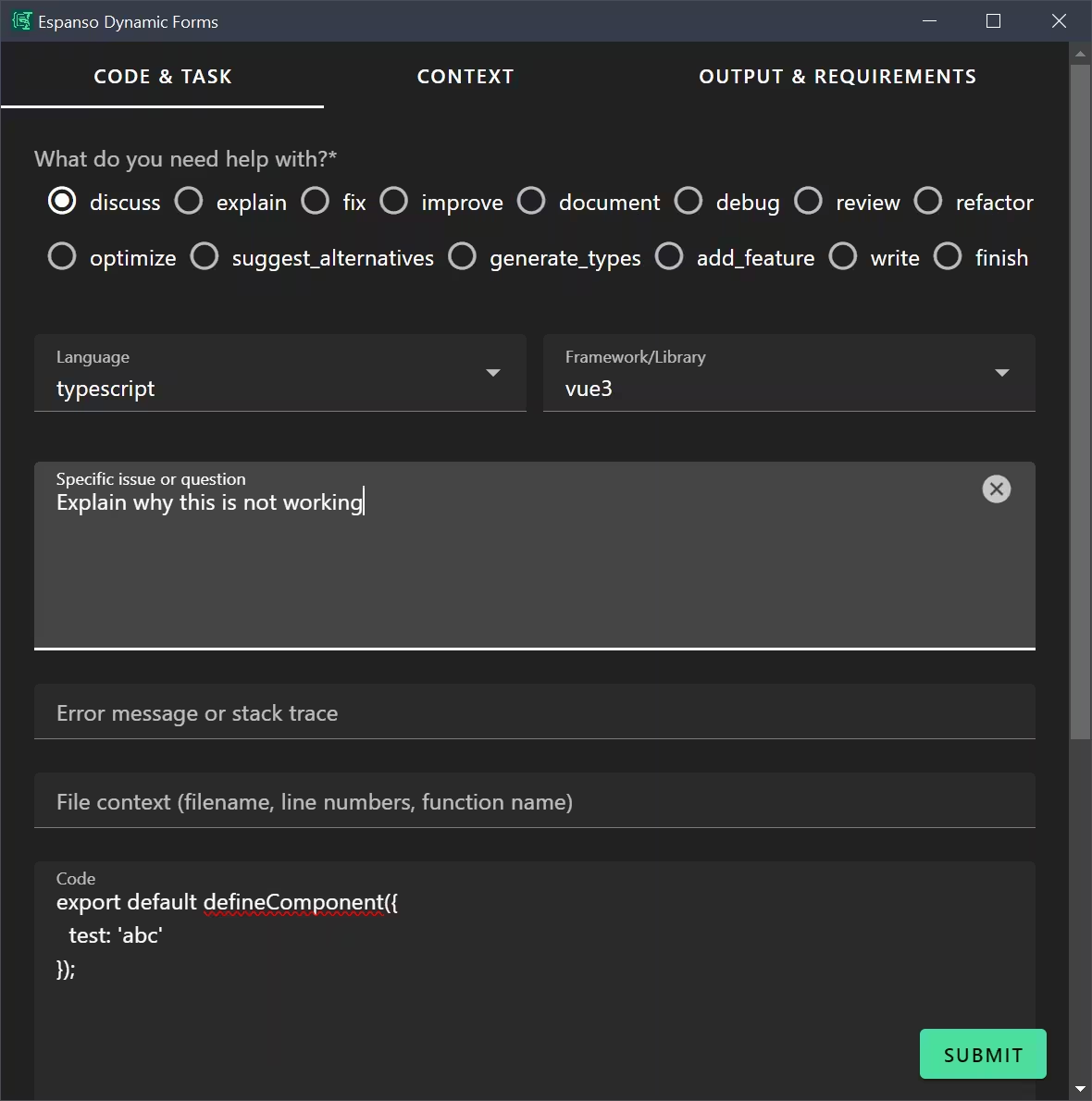 Screenshot of the Code Assistance form with categorized tabs and various input fields
What It Does
This form helps developers structure their code-related questions for AI assistants. It captures code, context, and requirements in a format that produces better AI responses. It demonstrates:
- Three-tab categorization layout
- Radio buttons with many options
- Dropdown selects with autocomplete
- File uploads for context
- Checkbox arrays for requirements
- Dynamic arrays for custom inputs
- Complex Liquid template with conditionals
Use Case
When you need help from an AI assistant with code—whether debugging, refactoring, reviewing, or writing new code—copy your code to the clipboard, trigger this form, and get a well-structured prompt.
Example output:
Help me fix this typescript (vue3) code:

## File
components/UserList.vue

````typescript
export default defineComponent({
  // ... your code here
});
````

## Error/Stack Trace
````
TypeError: Cannot read property 'map' of undefined
````

## Problem Description
The component crashes when the API returns an empty response.

## Requirements
- No regressions to existing behavior
- Match existing code style in the file
Supported Task Types
| Task | Description |
|---|---|
discuss | Open-ended code discussion |
explain | Get explanation of how code works |
fix | Fix broken or buggy code |
improve | General code improvements |
document | Add documentation/comments |
debug | Debug issues with context |
review | Code review with feedback |
refactor | Restructure code |
optimize | Performance optimization |
suggest_alternatives | Alternative approaches |
generate_types | Generate TypeScript types |
add_feature | Add new functionality |
write | Write new code |
finish | Complete unfinished code |
Form Configuration (Summary)
Full configuration is 340 lines. Here are key sections:
Schema Highlights
schema:
  type: object
  properties:
    taskType:
      type: string
      enum: [discuss, explain, fix, improve, ...]
    code:
      type: string
    language:
      type: string
      enum: [typescript, javascript, html, css, ...]
    framework:
      type: string
      enum: [vue3, nestjs, nodejs, django, other, none]
    contextFiles:
      type: array
      format: file
    requirements:
      type: array
      items:
        type: string
        enum:
          - No regressions to existing behavior
          - Match existing code style in the file
          - Keep functions small and focused
          # ...
      uniqueItems: true
  required:
    - taskType
UI Schema Structure
uischema:
  type: Categorization
  elements:
    - type: Category
      label: Code & Task
      # Task type, language, framework, code, error message
    - type: Category
      label: Context
      # Expected behavior, additional context, related code, file uploads
    - type: Category
      label: Output & Requirements
      # Requirements checkboxes, output format preferences
Template Logic
The template uses {% case %} to generate task-specific prompts:
{% case taskType %}
{% when 'fix' %}
Help me fix this {{language}} code:
{% when 'explain' %}
Explain how this {{language}} code works:
{% when 'refactor' %}
Help me refactor this {{language}} code:
{% endcase %}
Key Features
Autocomplete Dropdowns
Language and framework fields use autocomplete for quick selection:
options:
  format: select
  vuetify:
    v-autocomplete:
      hideDetails: true
File Uploads for Context
Upload related files to include their contents in prompt:
contextFiles:
  type: array
  format: file
Checkbox Arrays
Select multiple requirements from a predefined list:
requirements:
  type: array
  items:
    type: string
    enum:
      - No regressions to existing behavior
      - Match existing code style in the file
  uniqueItems: true
Dynamic Custom Arrays
Add your own requirements beyond predefined ones:
customRequirements:
  type: array
  items:
    type: string
Espanso Trigger
matches:
  - trigger: ':code'
    replace: '{{output}}'
    force_mode: clipboard
    vars:
      - name: output
        type: script
        params:
          args:
            - C:/Program Files/Espanso Dynamic Forms/EDF.exe
            - --form-config
            - \{\{env.EDF_FORMS}}/code.yml
Customization Ideas
- Add your commonly used languages to enum lists
- Add project-specific frameworks
- Customize default requirements for your team's coding standards
- Add a "complexity" field to specify expected code complexity
- Include your team's style guide as a default context