How To Get An OpenRouter API Key
This simple guide shows you how to create and set up your OpenRouter API key in just a few minutes.
Step 1: Create an OpenRouter account
First, head over to Openrouter.ai and start by clicking Sign up with email/wallet to create your account.

Step 2: Access Keys Section
After logging in to your account, look for and click "Keys" in the navigation menu.

Step 3: Generate a New Key
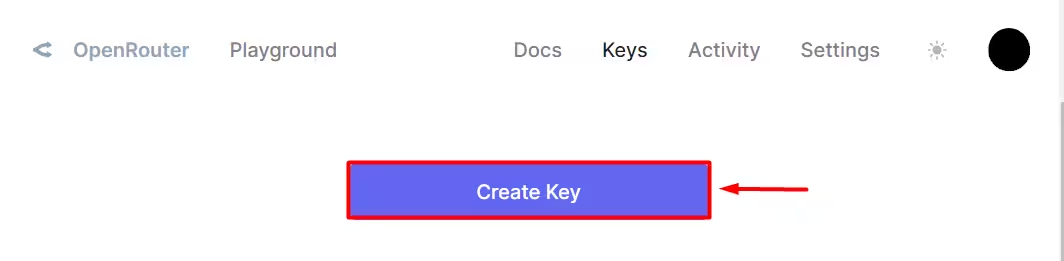
On the Keys page, locate and click the "Create Key" button to start generating your API key.
Step 4: Name Your Key
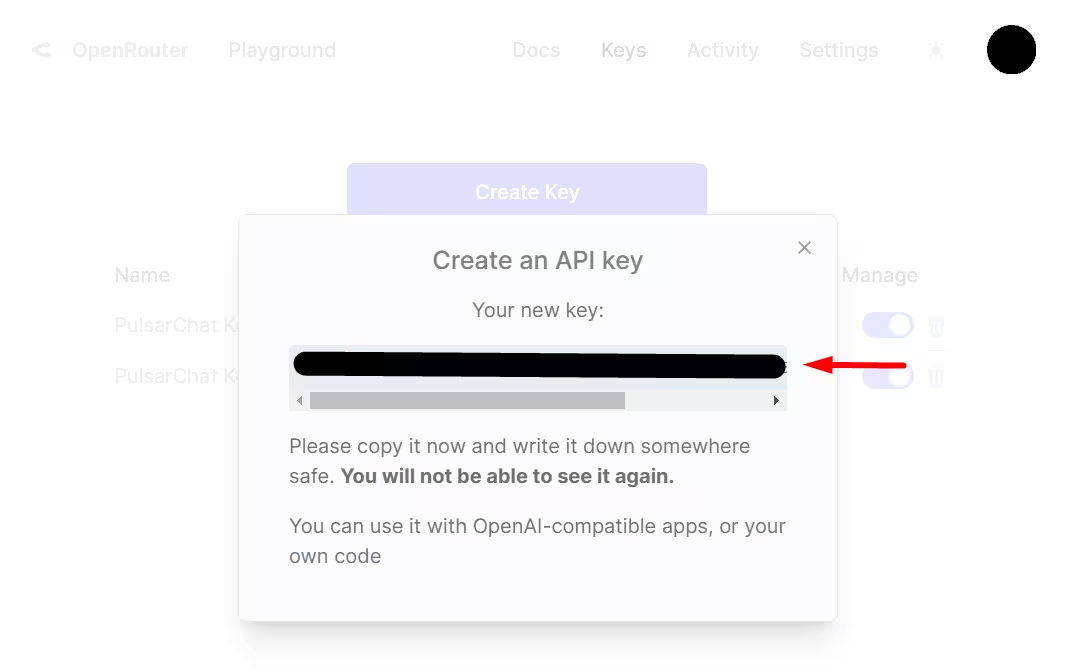
When the popup appears, give your API key a meaningful name that you'll easily recognize later. Then, click "Create" to generate your key.

Step 5: Secure Your API Key
Once generated, immediately copy your secret API key and store it in a secure location. Remember, for security purposes, you won't be able to see this key again after leaving the page.
Step 6: Enter your API key into Definer
- Right-click on the Definer icon located next to the address bar, then select "Definer Options".
- Open Sources, find AI, and expand Settings.
- On Main, choose OpenRouter under Provider.
- Paste your newly created key into API Key.
- Choose a supported model and enter a representative question in Preview to verify the connection.
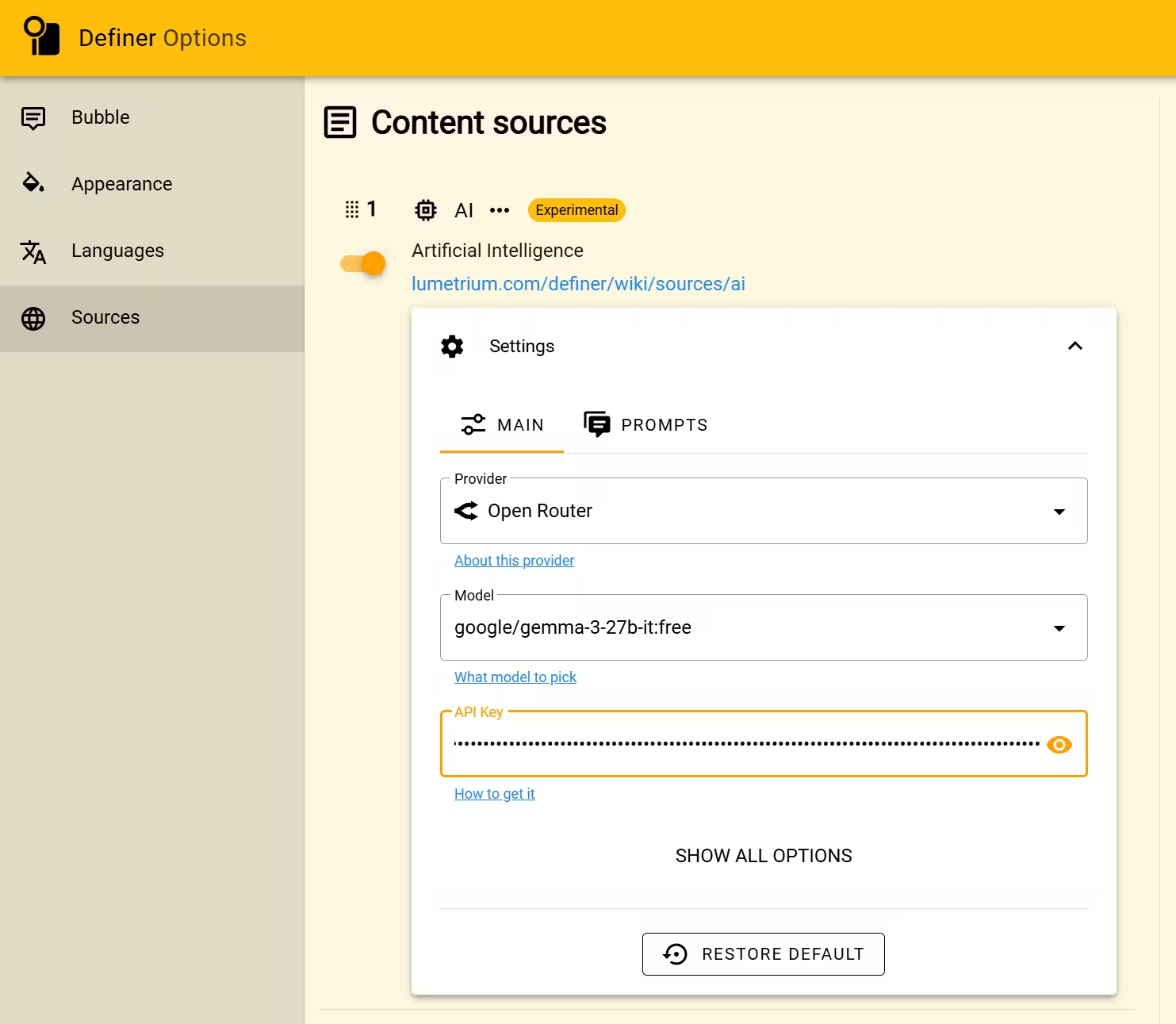
The AI Source now uses OpenRouter for prompts that inherit its Main settings.
If you need help, feel free to create a new post with "Help" flair in r/lumetrium_definer subreddit.