Wikipedia
Access Wikipedia articles for selected words directly within Definer's results panel, giving you instant access to the world's largest encyclopedia without leaving your current page.
Usage
- Look up selected text or type a query.
- Open Wikipedia from the result's source list.
- Read the article in the Bubble, Extension Window, or another Definer result surface.
No configuration required – this works immediately after installation.
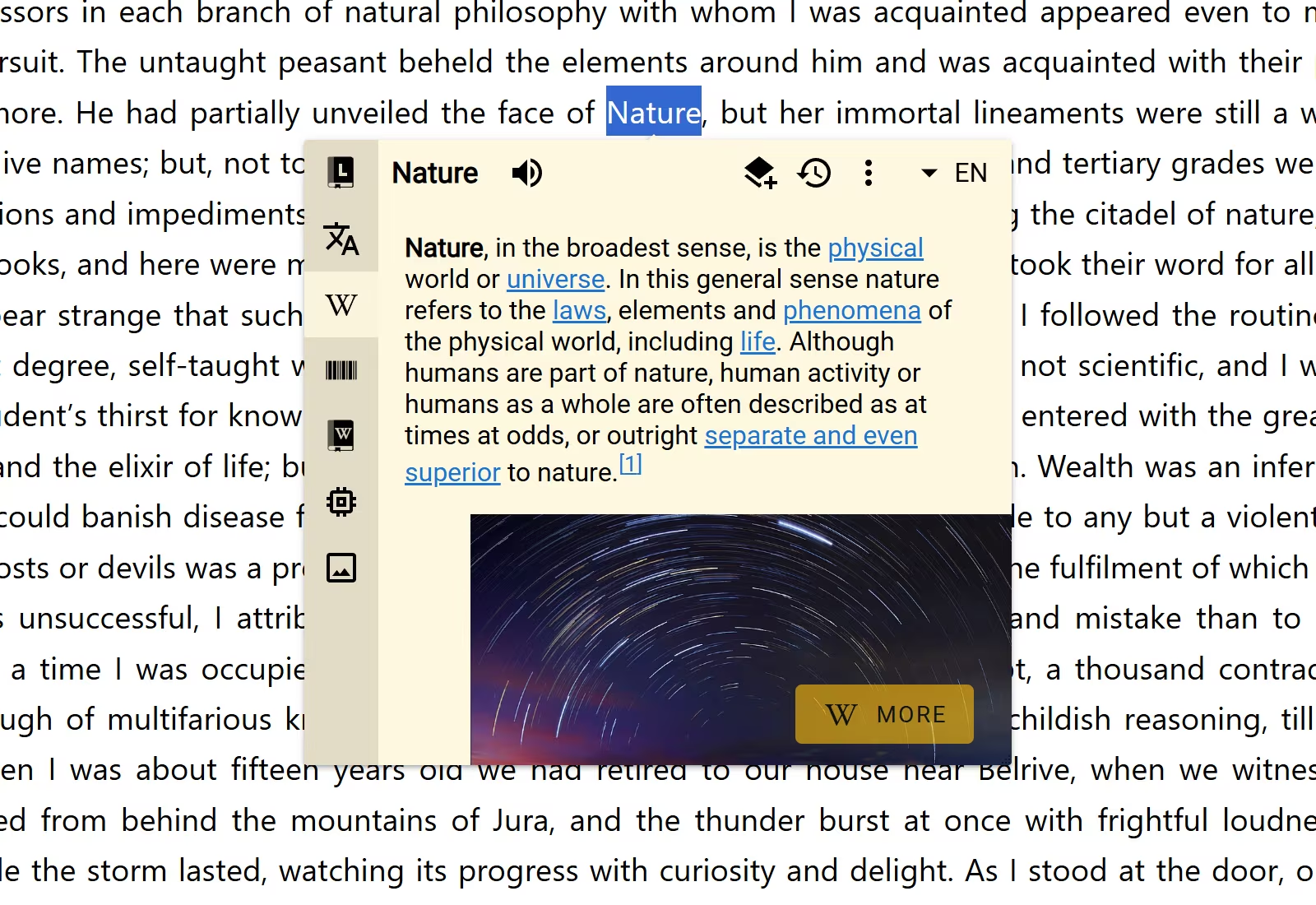
Benefits
- Save time: Get quick information without opening a new tab
- Stay focused: Research topics without interrupting your reading flow
- Enhance comprehension: Quickly understand unfamiliar concepts, people, or places
Configuration
Wikipedia works without setup. It includes a built-in Extract Article Routine that collects article data from the result.
Open Definer Options → Sources → Wikipedia → Settings → Routines to inspect, disable, duplicate, or edit it. See Routines before changing the built-in sequence.
Save an article preview
Wikipedia includes the built-in Wikipedia Preview Card Recipe. Select Save on a Wikipedia result to keep the article title, summary, image, and available section links as a Card.
See Recipes to choose a different Recipe or change how saved information is arranged.