Membership
The Membership tab shows which Definer tier is active and how much of the usage included with that tier you have used. Open your profile menu in Definer Options, select Profile, then open Membership.
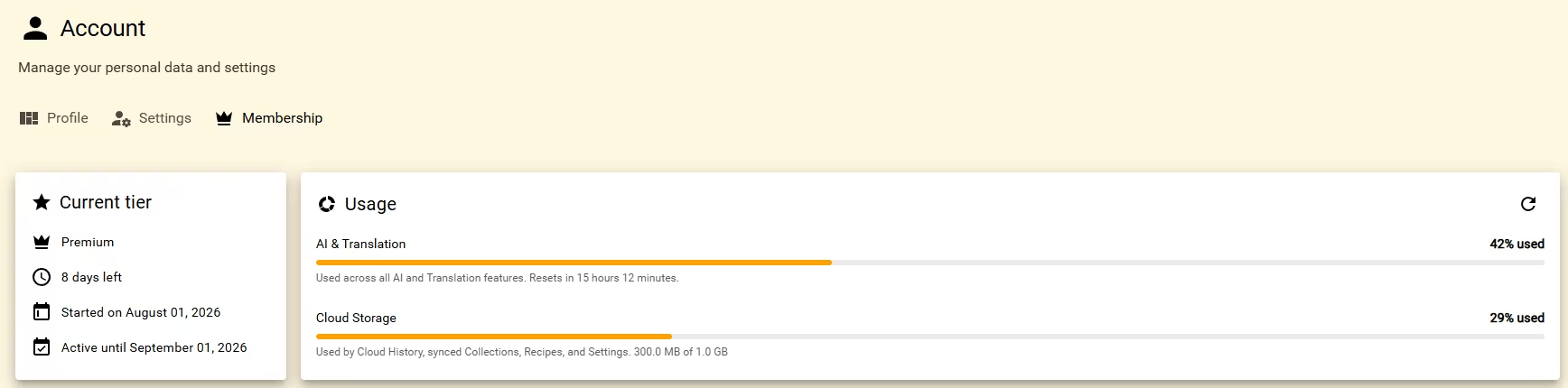
Check the current tier
The Current tier card shows the tier name and whether it is active indefinitely or for a set period. For a timed membership, it also shows the start date, end date, and remaining days.
Read usage
The Usage card has two meters:
| Meter | What it represents |
|---|---|
| AI & Translation | Shared use across Definer's AI and translation features. The meter shows the percentage used and when the allowance resets. |
| Cloud Storage | Space used by Cloud History, Cloud Sync, and Settings Sync profiles. The card shows the percentage and the used and total sizes. |
Select the refresh button in the Usage card to request the latest totals.

The AI & Translation allowance renews at the reset shown beside its meter. If it is exhausted, wait for that reset before using a feature that depends on it again.
Cloud Storage is capacity, so it does not renew on a schedule. Remove Cloud History or synced data you no longer need, then refresh the Usage card.
Related cloud features
Cloud History keeps selected lookups with your account. Cloud Sync keeps Collections, their items, and global Recipes current across installations. Settings Sync uses profiles for Definer settings, while Backup and restore creates a file you can restore manually.
For renewal, payment, or checkout tasks, continue to Billing.