AI providers
An AI provider is the service or local software that runs the model for AI Source. Your provider choice determines which models are available and whether you need an external account, API key, or software on your computer.
Choose a starting point
| What you want | Choose | What you need |
|---|---|---|
| The shortest setup | Lumetrium AI | A model available to your Definer tier; no separate provider API key |
| A supported external service | OpenAI, Anthropic, Google, OpenRouter, or xAI | An account and API key from that provider |
| Models running through software on your computer | Ollama or LM Studio | The provider software and a downloaded model |
| Another compatible service or server | Custom | Its API Host, exact model name, and an API key when required |
If you are unsure, start with Lumetrium AI. You can change providers later without removing your prompts.
Change the provider
- Open Definer Options → Sources → AI → Settings → Main.
- Choose Provider. Enter an API Key or API Host if that provider requires one.
- Choose an available Model.
- Enter a representative question in Preview and confirm that a response appears.
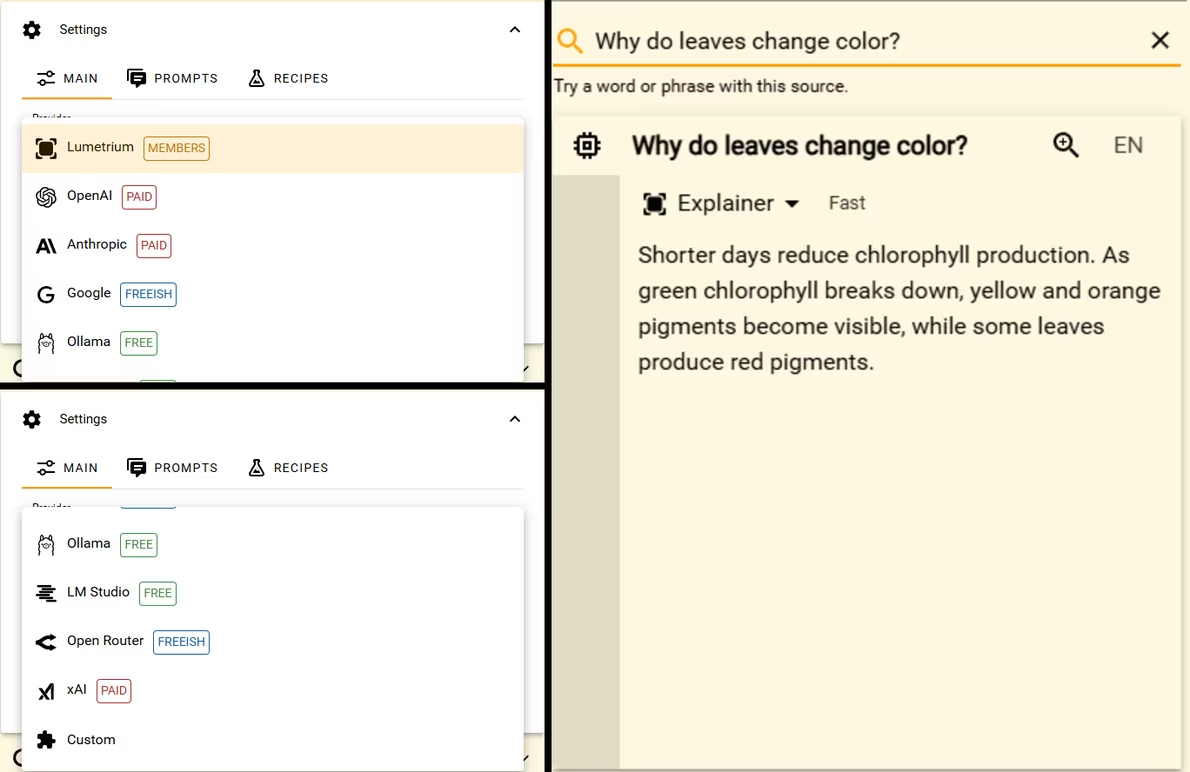
The Main provider and model are the defaults for AI Source. A prompt with its own Config can use another provider or model without changing those defaults.
Continue with setup
- Use the API-key guides for full provider-specific instructions and screenshots.
- Use AI models to compare models with the same lookup.
- Use AI Source for prompts, Lookup variables, and advanced generation settings.