Cloud History
Cloud History keeps useful lookups with your account instead of leaving them on only one device. Sign in on another installation and the same lookup can be brought into its History with the sources, languages, and recorded context intact.
Cloud History is included with membership.
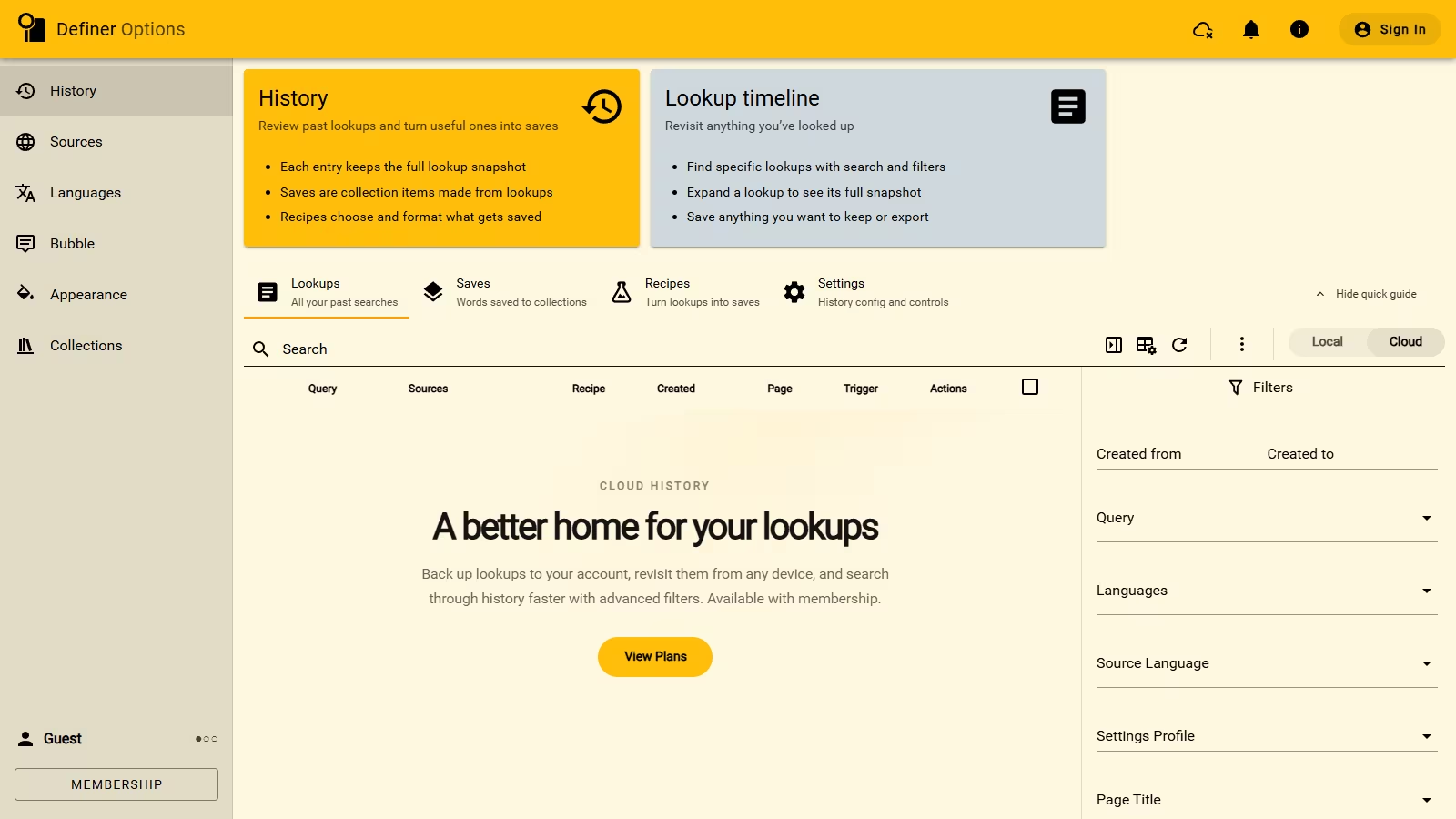
Keep new lookups with your account
Definer can copy each newly recorded lookup to Cloud History automatically. This is the default when Cloud History is available, so your future lookups can follow you without a separate action each time.
Open Definer Options → History → Settings and use Copy new lookups to Cloud when you want to change this behavior.
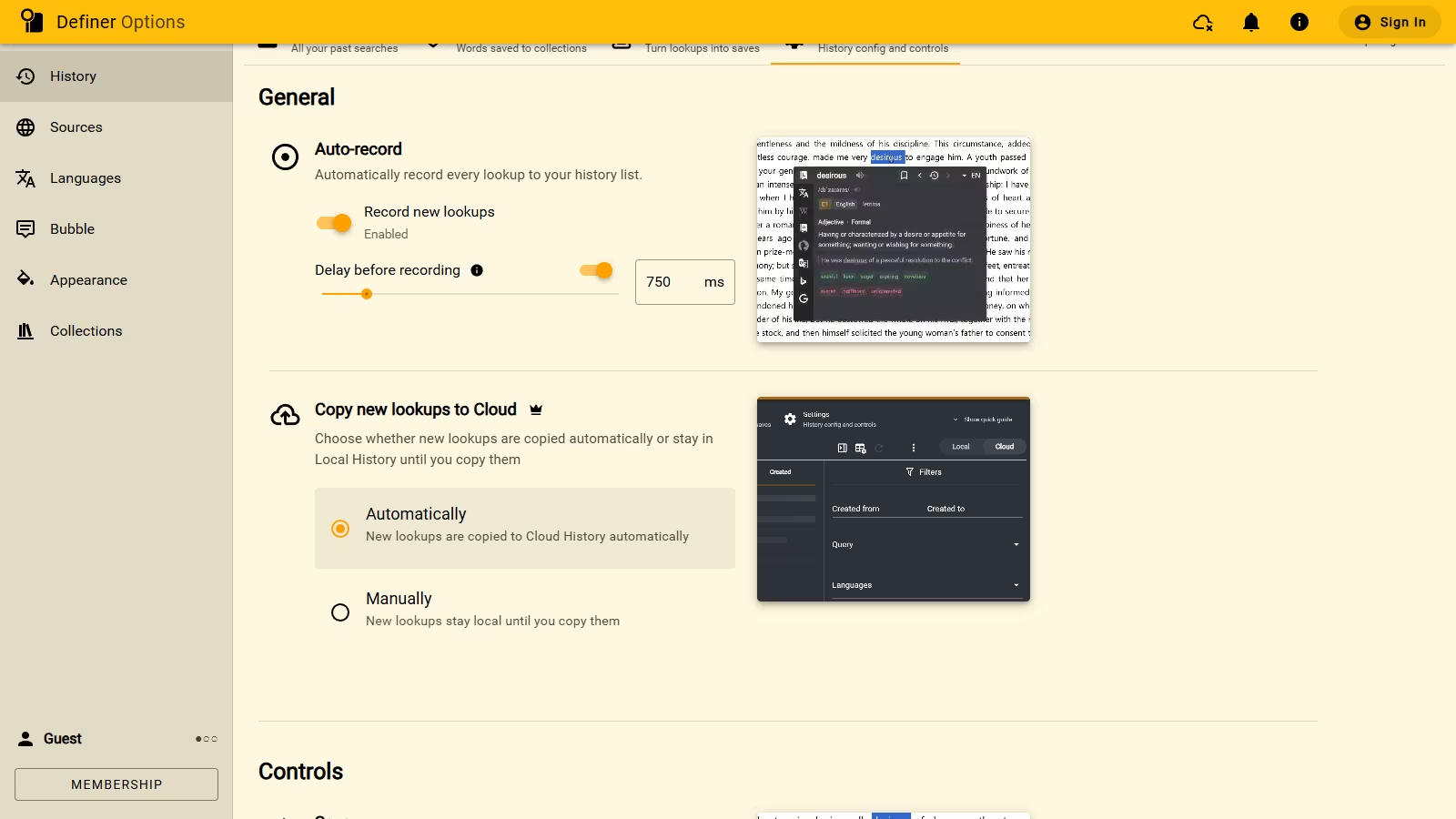
Find something from another device
Open Definer Options → History → Lookups, then open Cloud. The list contains the lookups kept with your account.
Use Full-text search to find words in saved queries. Filters can narrow the list by details such as date, language, page, or trigger, and sortable columns can change the order.
When you want a Cloud lookup in the History stored on the current device, use Save to Local. The Cloud copy stays in your account.
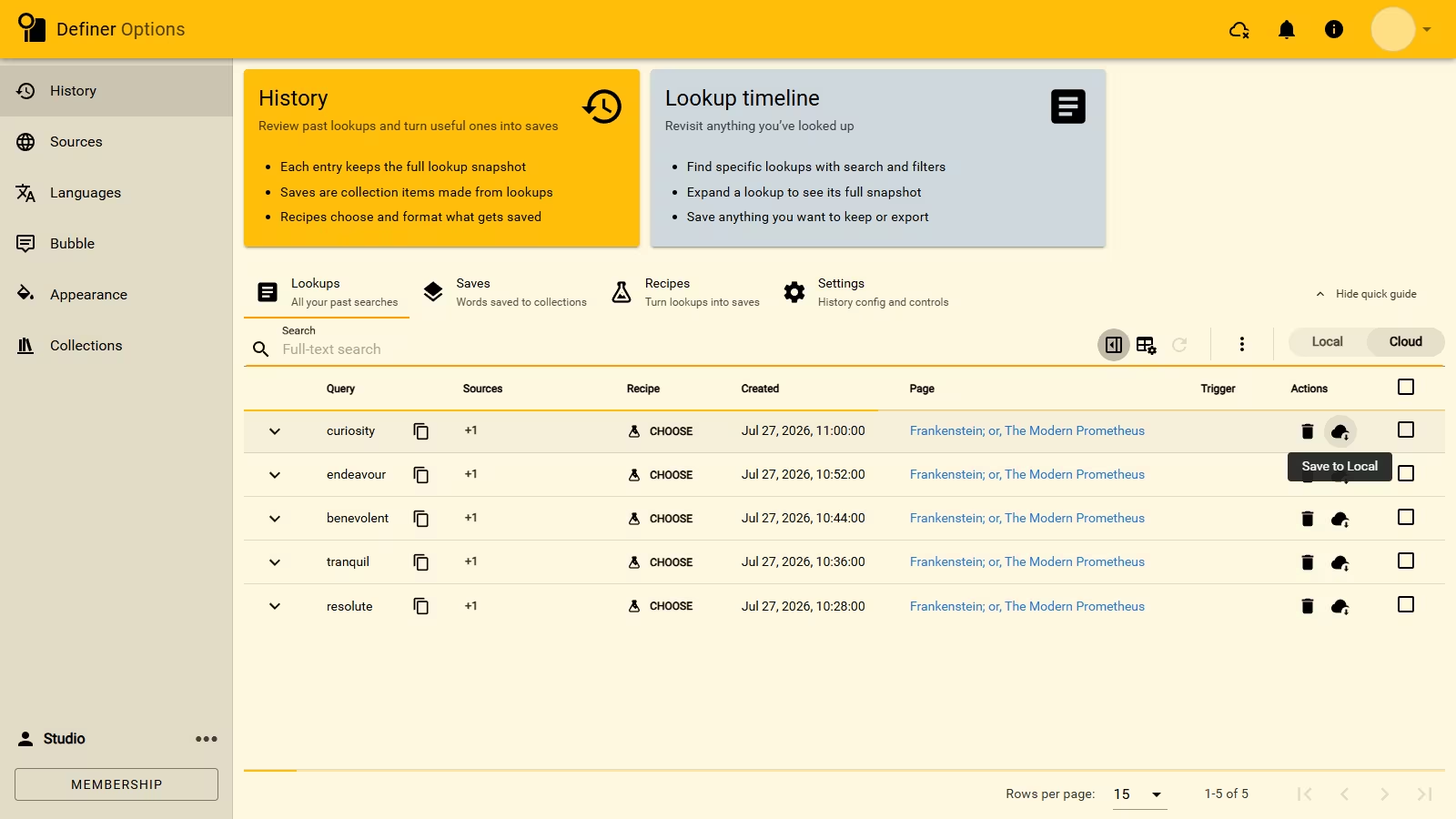
Keep an older timeline
Lookups that already exist on a device can be copied to Cloud History later. You can send one lookup, several selected lookups, or the remaining timeline.
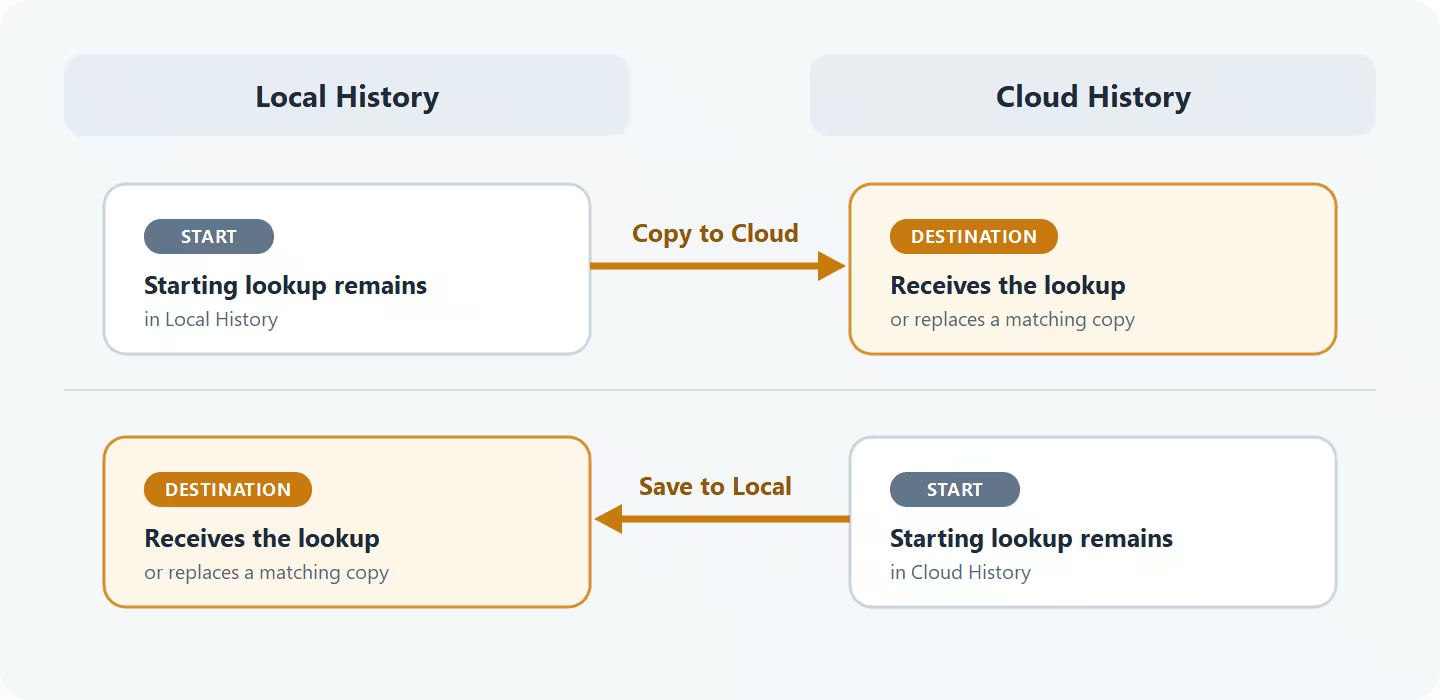
The optional Move Cloud History guide covers those actions, progress dialogs, and replacement choices. Most readers only need automatic copying for new lookups.
Know what Cloud History covers
Cloud History keeps lookups. It does not replace Cloud Sync, which keeps Collections and their items current, or Settings Sync, which keeps selected Definer preferences aligned.
Deleting a lookup from one History space does not automatically delete a copy in the other.