Import an Offline Dictionary
Importing installs a dictionary package and connects it to an Offline Dictionary source. You can import while adding the source or from the settings of a source you already have.
Choose files or a folder
Use the option that matches the package you downloaded:
- Drop a ready
.zip,.7z, or single-file dictionary onto Drop a file here, or select Choose files. - For a format made of companion files, select every required file together with Choose files.
- Select Choose dictionary folder when the dictionary has several files or folders whose arrangement must stay intact.
Folder dragging is not supported. Use Choose dictionary folder instead. Import separate dictionaries separately so each import has one clear result.
See supported dictionary formats if you are unsure which files belong together.
Import while adding the source
- Open Definer Options → Sources → Content sources, select New source, then open Constructor.
- Drop the package onto Drop a file here, select Choose files, or select Choose dictionary folder.
- Keep Definer Options open until the import finishes. Definer creates an enabled Offline Dictionary source and selects the imported package for it.
- Open the new source's Settings. In Preview: Offline Dictionary, enter a familiar headword in Test query and press Enter. Confirm that a matching entry appears.
Import into an existing source
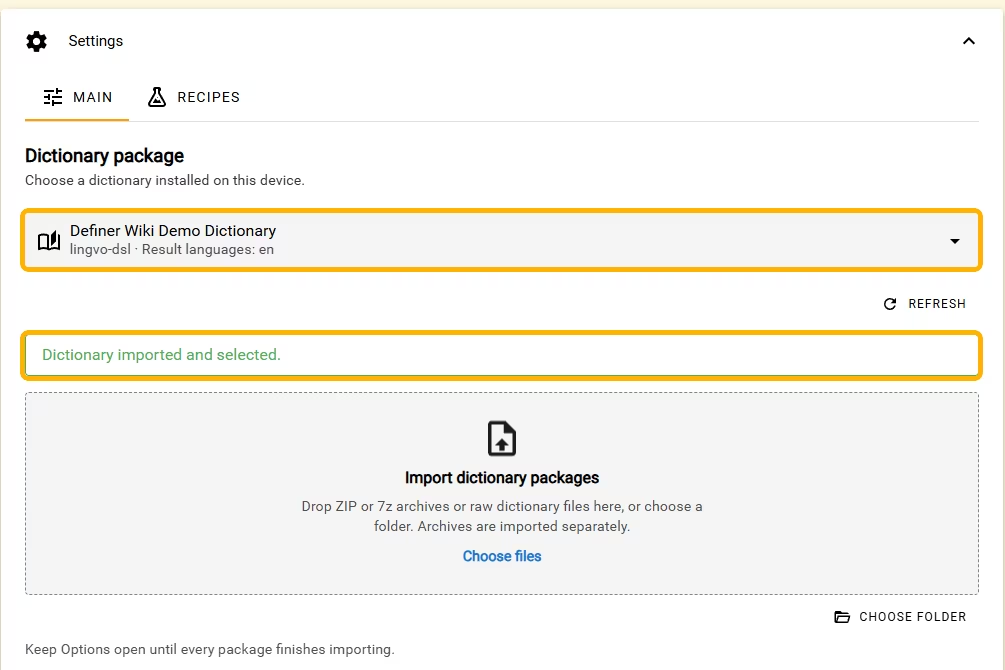
- Open Definer Options → Sources → Content sources, choose the Offline Dictionary source, then open Settings → Main.
- Under Import dictionary packages, drop the package or use Choose files or Choose folder.
- Keep Definer Options open until you see Dictionary imported and selected.
- Enter a familiar headword in the source Preview and confirm that the expected entry appears.
Follow or cancel an import
The progress panel shows the current stage, percentage, and completed work when that information is available. Keep Definer Options open until every selected package finishes.
To stop, select Cancel import and wait for the progress panel to close before starting another import. If Definer says the dictionary was imported but not selected, choose it from Dictionary package, then test it in Preview.
Import on another device
Import the same dictionary package on each device where you want to use the source. Keep the package available explains how dictionary files differ from the source settings that Definer can transfer.