Wiktionary Pronunciation
Wiktionary Pronunciation plays recorded pronunciations from Wiktionary and Wikimedia Commons. Use it when you want to hear a recording and compare available accents or speakers.
If the source is not in your Audio sources, open Definer Options → Sources → Audio sources → New source → Built-in sources and select Wiktionary Pronunciation.
Play a recording
- Run a lookup for a word.
- Select a Wiktionary Pronunciation audio button to play the recording.
- Select the button again to stop.
When several recordings are available, Definer shows numbered buttons. Point to a button to see details about that recording, then choose the one you want to hear.
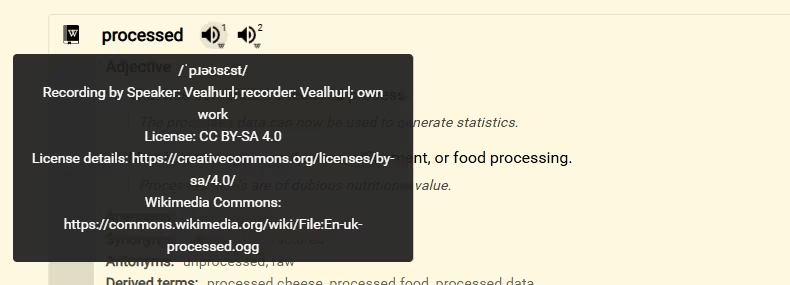
If Wiktionary has no playable recording for the word and language, this source has no audio button for that lookup.
Choose click and autoplay behavior
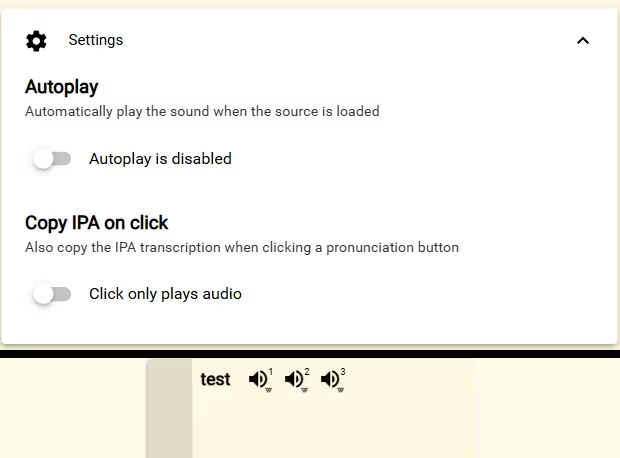
Open Definer Options → Sources → Audio sources → Wiktionary Pronunciation → Settings.
- Turn on Autoplay to play the available recordings in order when the source loads.
- Turn on Copy IPA on click to copy a recording's International Phonetic Alphabet (IPA) transcription when that recording includes one. IPA is the pronunciation notation used by many dictionaries. The same selection still plays the recording.
Save a pronunciation
Open Wiktionary Pronunciation in the lookup, then select Save to use the included Wiktionary Pronunciation Term Recipe. It creates a Term item that can keep the recordings, available IPA transcriptions and regions, and recording credits.
Open Definer Options → History → Recipes → Wiktionary Pronunciation Term to inspect it. To customize the built-in Recipe, change Recipe Name, then select Save as copy.