Script
The Script source lets you build a lookup result with JavaScript. It can combine the current query and page context with network data, render any interface you need, react to user input, and preserve result-specific data.
Your result can also include buttons to copy text, open links, or replace text selected in an editable field. For example, a text tool can show a converted value and let you copy it or insert it in place of the current page selection.
Use it when a built-in source is not flexible enough and you want to control the data, behavior, and presentation yourself.
NOTE
Script is an experimental source. Its API and runtime behavior may evolve; review these docs and test important scripts after Definer updates.
WARNING
Run or paste only code you trust. A Script can read the lookup data available to it and send data through web requests.
What you can build
A Script source can:
- render cards, tables, controls, visualizations, or any other HTML interface;
- read the query, result language, source context, and available lookup variables;
- request HTTP or HTTPS resources with the standard Fetch API;
- copy plain text, open URLs, and replace or cut the current editable page selection through the actions API;
- keep timers, event listeners, streams, and other interactive work alive while the result is open;
- follow Definer's active theme;
- preserve a JSON data object with the lookup result and restore it when that result is opened again.
Script differs from the Custom source: Custom displays an existing website, while Script creates a result that you program yourself.
Set up a Script source
- Open Definer Options → Sources and add a Script Source, or open an existing one's settings.
- Enter JavaScript in the code editor.
- Use Preview to try the code with a representative query.
- Run a normal lookup and open the Script result.
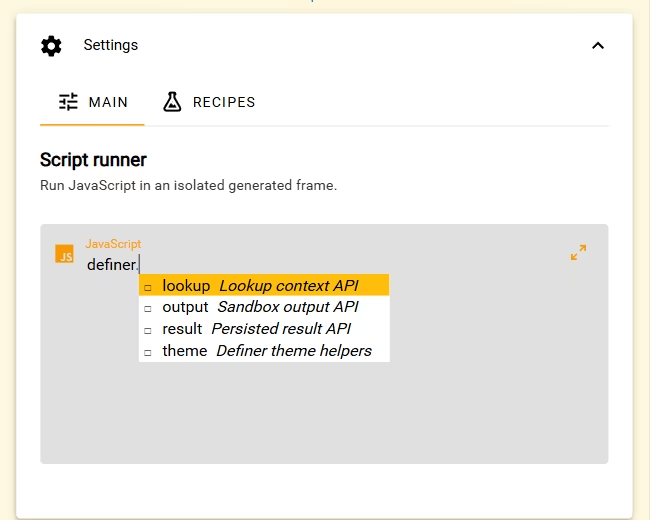
The editor supports JavaScript syntax highlighting and completion for the Script API. Top-level await is supported, so a script can fetch data without wrapping its code in another function.
Test Replace and Cut with a Bubble lookup opened from text selected in an editable webpage field. If you select different text while the Bubble is pinned, those actions use that selection. Preview can show the controls, but it has no live page selection to edit. See Live selection requirements for supported fields and recovery steps.
Try your first Script
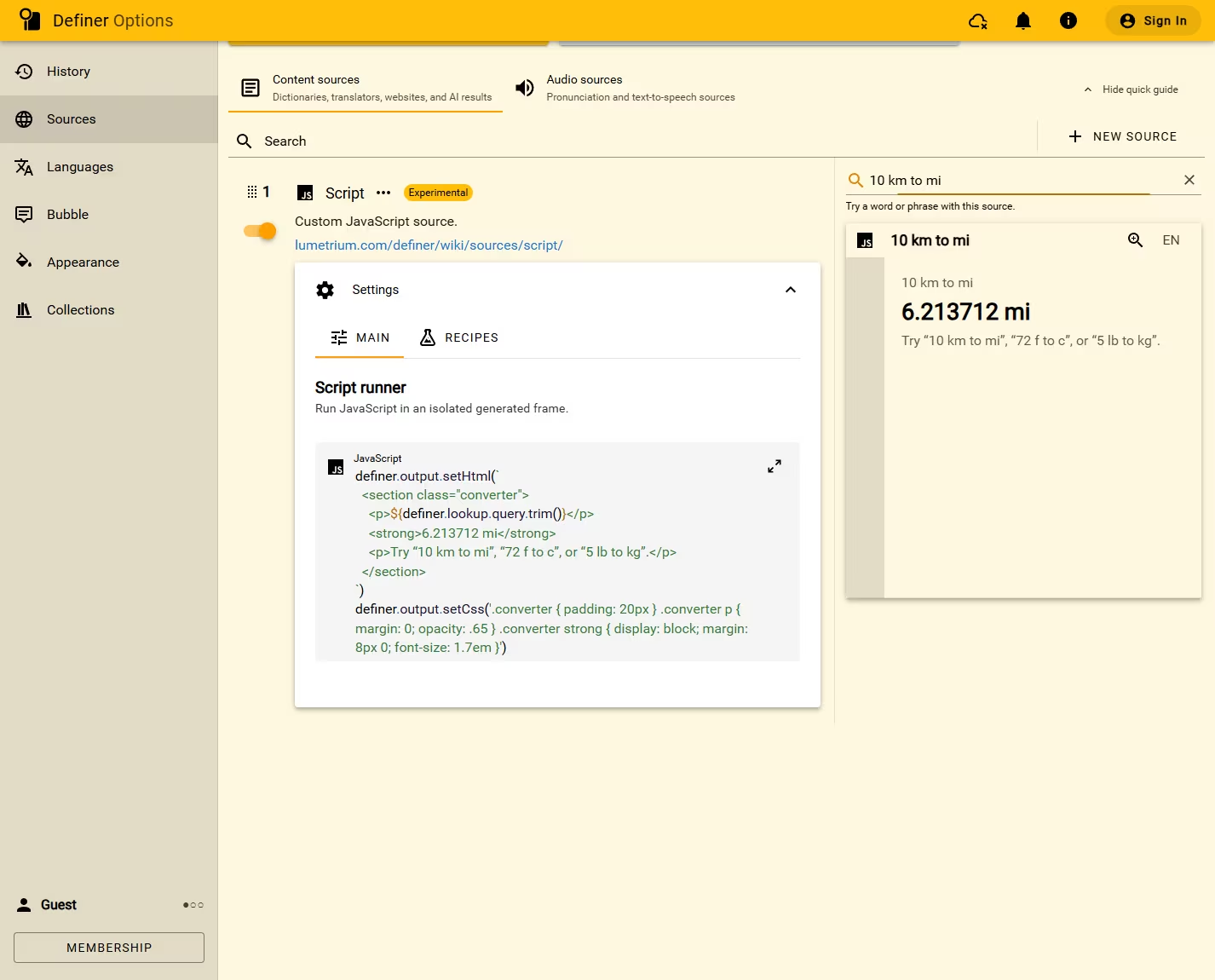
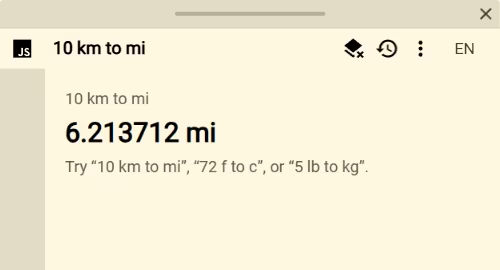
This example turns lookups such as 10 km to mi or 72 f to c into useful conversions without making a network request:
const query = definer.lookup.query.trim()
const units = 'mm|cm|m|km|in|ft|yd|mi|g|kg|oz|lb|°?[cfk]'
const match = query.match(
	new RegExp(`^(-?(?:\\d+(?:\\.\\d+)?|\\.\\d+))\\s*(${units})\\s+(?:to|in)\\s*(${units})$`, 'i'),
)

definer.output.setHtml(`
	<section class="converter">
		<p class="converter__input"></p>
		<strong class="converter__result"></strong>
		<p class="converter__help">Try “10 km to mi”, “72 f to c”, or “5 lb to kg”.</p>
	</section>
`)
definer.output.setCss(`
	.converter { padding: 20px; }
	.converter__input, .converter__help { margin: 0; opacity: 0.65; }
	.converter__result { display: block; margin: 8px 0; font-size: 1.7em; }
`)

const input = document.querySelector('.converter__input')
const result = document.querySelector('.converter__result')
input.textContent = query

if (!match) {
	result.textContent = 'No supported conversion found.'
} else {
	const value = Number(match[1])
	const from = match[2].toLowerCase().replace('°', '')
	const to = match[3].toLowerCase().replace('°', '')
	const groups = [
		{ mm: 0.001, cm: 0.01, m: 1, km: 1000, in: 0.0254, ft: 0.3048, yd: 0.9144, mi: 1609.344 },
		{ g: 0.001, kg: 1, oz: 0.028349523125, lb: 0.45359237 },
	]
	const group = groups.find((candidate) => from in candidate && to in candidate)
	let converted

	if (group) {
		converted = (value * group[from]) / group[to]
	} else if ('cfk'.includes(from) && 'cfk'.includes(to)) {
		const celsius = from === 'c' ? value : from === 'f' ? (value - 32) * 5 / 9 : value - 273.15
		converted = to === 'c' ? celsius : to === 'f' ? celsius * 9 / 5 + 32 : celsius + 273.15
	}

	result.textContent = Number.isFinite(converted)
		? `${Number(converted.toFixed(6))} ${to === 'c' || to === 'f' ? `°${to.toUpperCase()}` : to}`
		: 'Those units cannot be converted to each other.'
}
The dynamic lookup text and result are assigned through textContent. Keep that pattern when displaying queries, page variables, or network data: setHtml() does not sanitize HTML for you.
For complete examples you can paste directly into Definer, visit the Script Catalog.
Understand when a result restarts
Code runs once when the Script result opens. Buttons, listeners, timers, and pending work continue while that result remains open.
The result restarts when its query, language, code, or Source changes. Closing the result stops its current work.
Only data written through definer.result survives a restart. HTML, CSS, DOM elements, JavaScript variables, timers, and listeners do not.
Read Script runtime for restart rules, saved data, available browser features, and errors.
Continue with Script
- API reference: every public
definernamespace, property, method, argument, and return value. - Lookup variables: available page, selection, language, time, and viewport values.
- Use Lookup variables in Script: the editor panel,
getVariable(), literal names, and unavailable values. - Fetch web data: requests, streaming responses, credentials, cancellation, and restrictions.
- Script runtime: restarts, saved data, available browser features, and errors.
- Script Catalog: ready-to-use examples with explanations and customization ideas.
Troubleshooting
The result shows an error
Definer reports syntax errors, rejected top-level promises, uncaught errors, and unhandled promise rejections in the result. Correct the code, then use Retry or run the lookup again.
console.log(), console.warn(), console.error(), and the other console methods are available when you need additional debugging output in browser DevTools.
The result is blank
A script is responsible for creating its own output. Use DOM APIs or definer.output.setHtml() to add content. Also check whether an awaited request failed before rendering and handle its loading, empty, and error states explicitly.
Saved data is rejected
setData() and patchData() require a plain object containing only JSON values. Functions, undefined, BigInt, symbols, non-finite numbers, and circular references are rejected. DOM nodes and other runtime objects do not round-trip meaningfully and should not be used as result data.