Add a source
Add a source when you want another kind of lookup result, a second setup of a source you already use, or information from a website, audio address, or dictionary file of your choice.
Start in Definer Options → Sources, open Content sources or Audio sources, and select New source.
Add a built-in source
Built-in sources are ready for Definer's result system and need little or no setup.
- Open Built-in sources.
- Select the source you want. Search is available when the list is long.
- Try it in Preview or open its Settings.
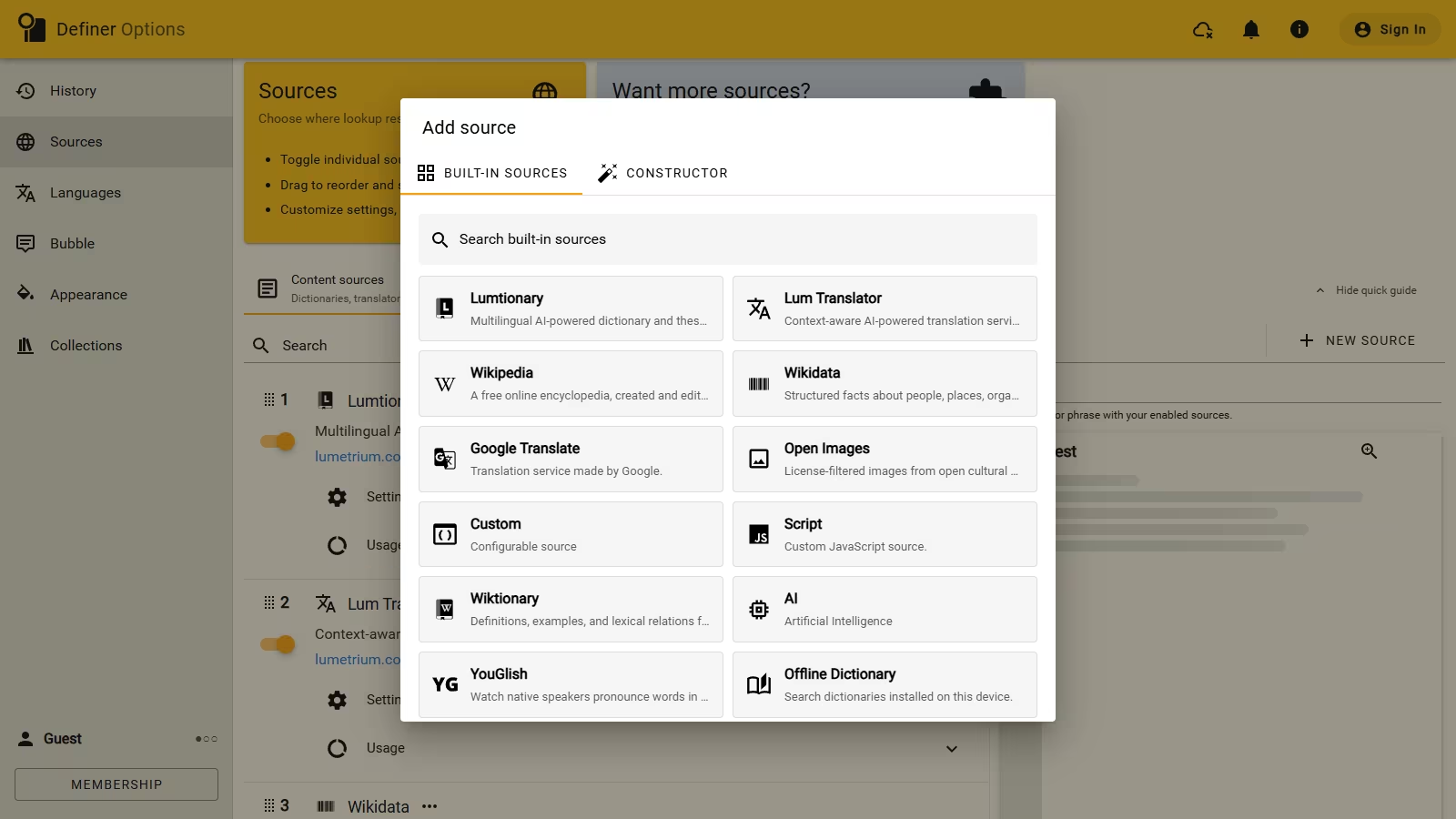
The new source is enabled and placed at the top of its list. You can add another copy of many built-in sources and give each copy different settings.
Create a source from a URL
Use the Constructor when a website has a useful search result page that Definer does not already offer as a built-in source.
- Search the website for an example word and copy the result page's address.
- Open New source → Constructor and paste the address into Website URL or Audio URL.
- Replace the example word with
{{str}}. For Wikipedia search, the complete address ishttps://en.wikipedia.org/w/index.php?search={{str}}. - Enter a different Test query. When Preview opens the expected result, select Add source.
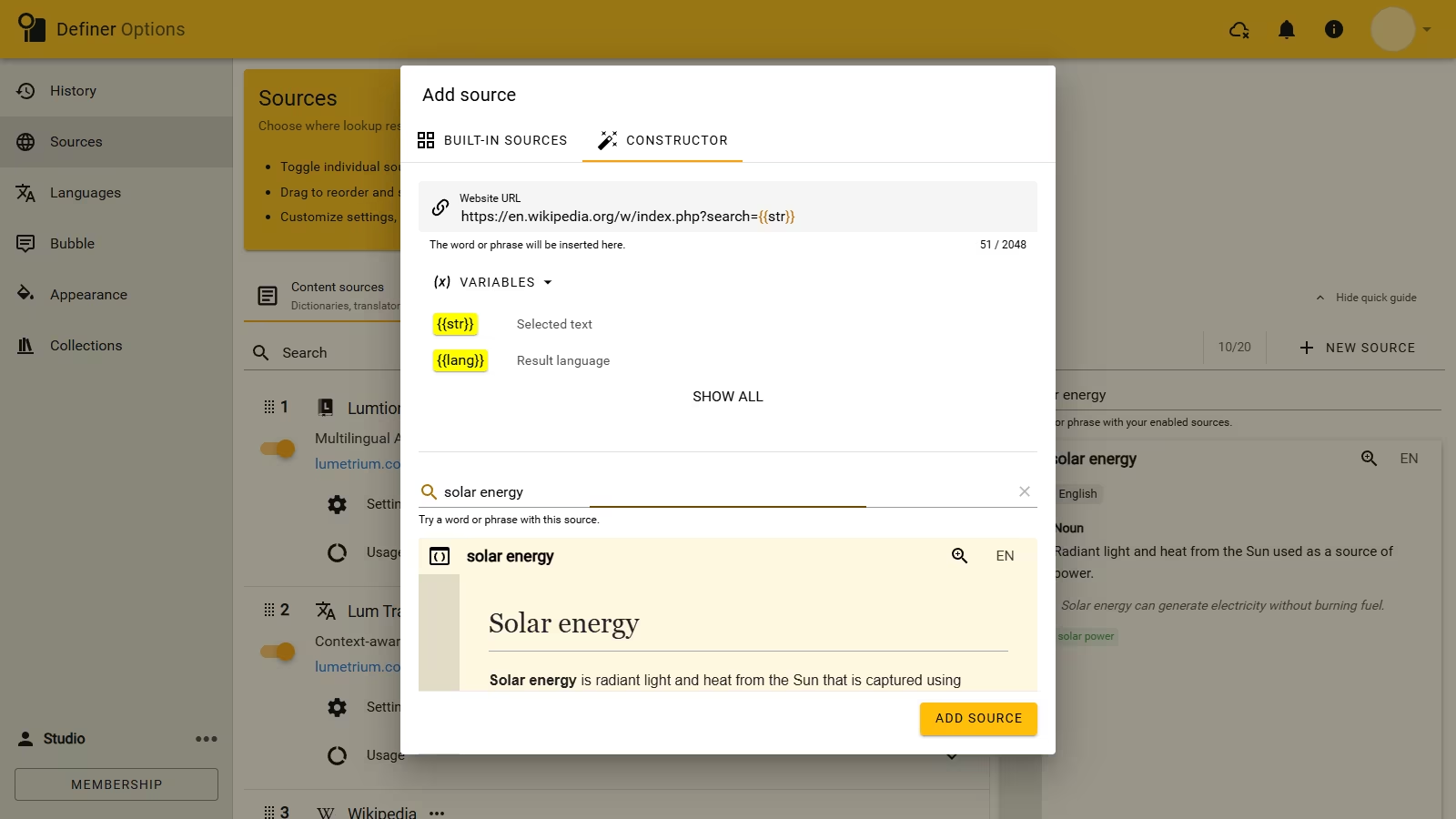
The {{str}} variable sends the current lookup text to the website. See Lookup variables when the address also needs a page, language, selection, or another lookup value.
Add a source from a file or folder
The file area in the Constructor accepts:
- a Definer source export;
- a Definer backup, from which you can choose only the sources;
- a supported dictionary package or folder.
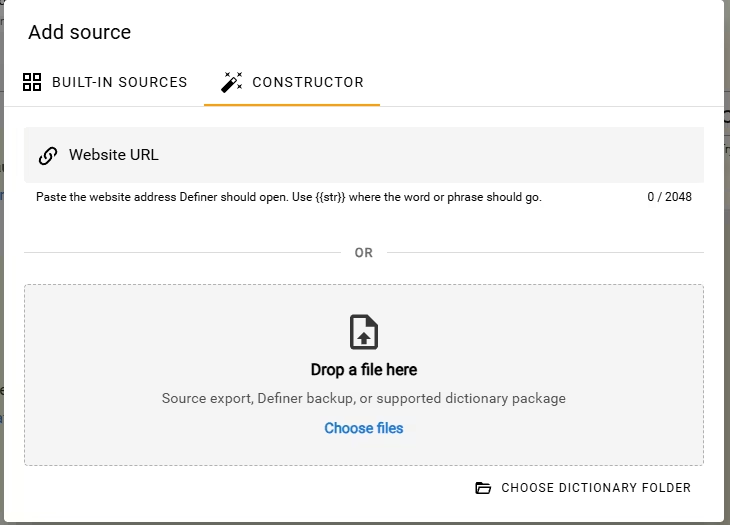
Use Import and export sources for a source file. See Import an Offline Dictionary for supported dictionary formats and folders.
If Definer reports that a source file is damaged, unsupported, or from a different release, choose another export or update Definer before trying again.