Routines
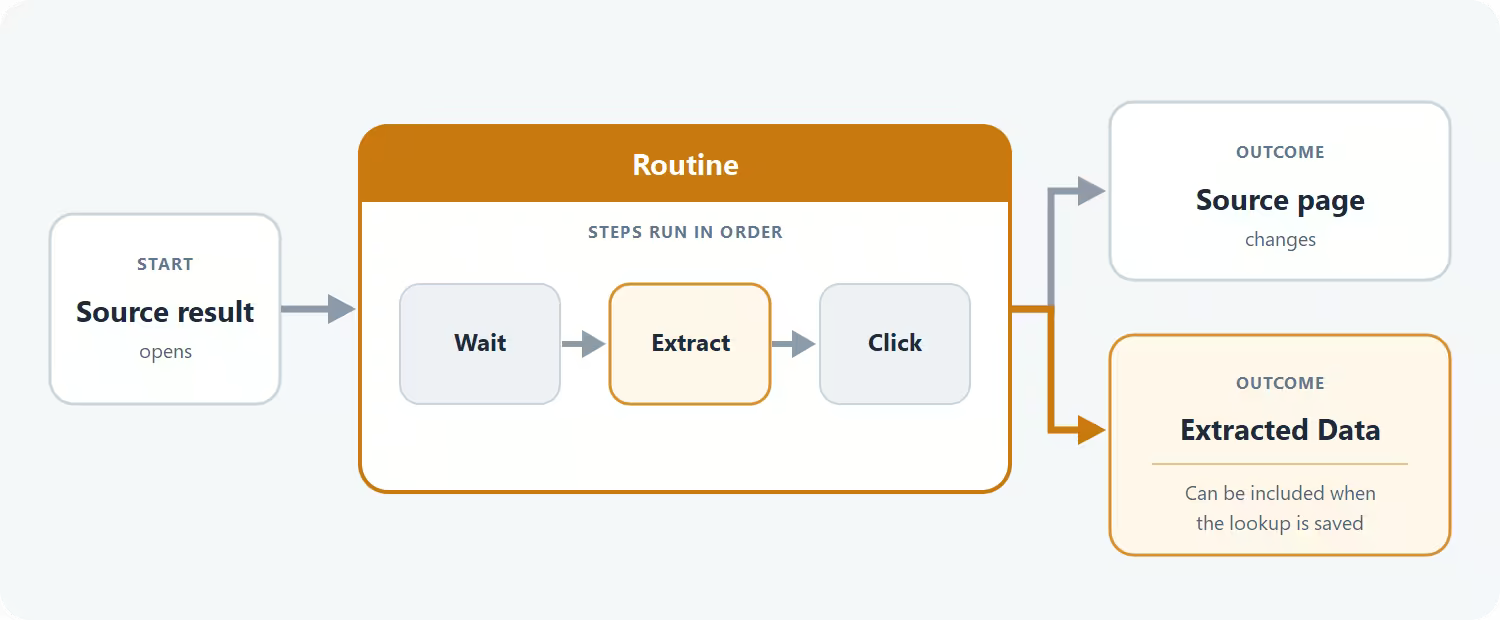
Some source results contain useful page data that Definer does not use by default, or they need an action before the useful content appears. A Routine runs an ordered set of Steps on one source result. It can collect headings, links, and other page data so that data can be included when you save the lookup, or it can wait, click, scroll, enter text, and remove page clutter.
Each Routine belongs to one source. You can let it run automatically when a result opens or keep it available as an action you start yourself.
Find Routines for a source
Routines are available for these Sources in the current Built-in Sources catalog:
When you add Wikipedia or YouGlish, Definer also adds a built-in Routine for that Source. These Routines collect the page data that Definer uses from those results. Custom Sources start without a built-in Routine, so you can add only the behavior your Source needs.
An existing Google Search or Bing Images Source can also have Routines even though those Sources are not offered in the current catalog.
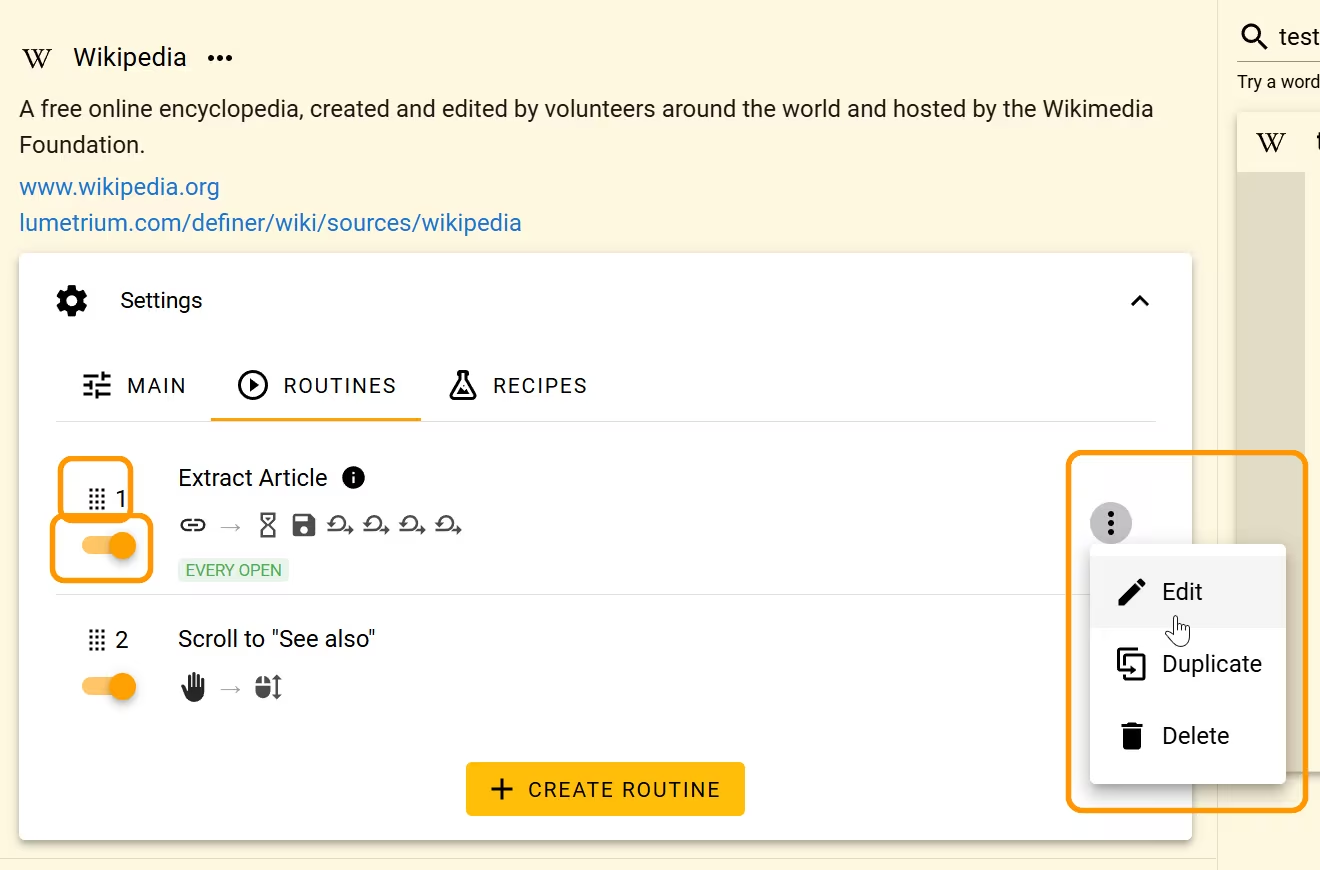
Open Definer Options → Sources → [source] → Settings → Routines to see the source's Routines.
Use Routines in a lookup
An automatic Routine starts when its Trigger matches the open result. A manual Routine waits for you to start it from the lookup header.
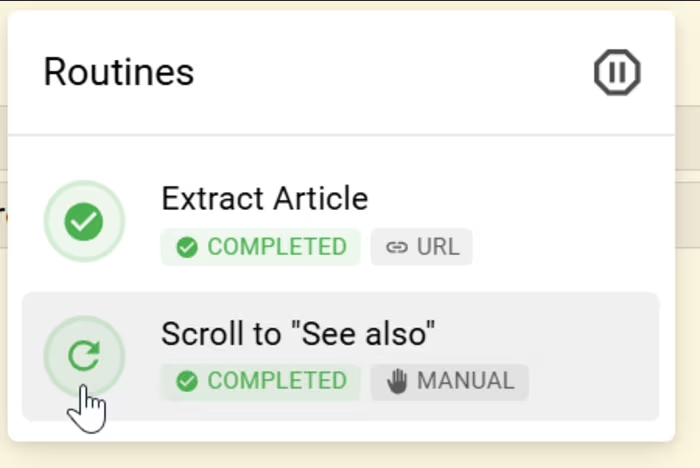
Open the Routines button with the play icon to see each Routine's Trigger, status, and progress. From this menu, you can:
- select a ready or completed Routine to run or rerun it;
- select a running Routine to stop it;
- select Pause all routines to pause the current work; or
- select Resume routines to continue paused work.
A manual Routine always makes the Routines button available. For an automatic Routine, the button appears when Show Routine Button is enabled. If the source has no visible Routine controls, the button is absent.
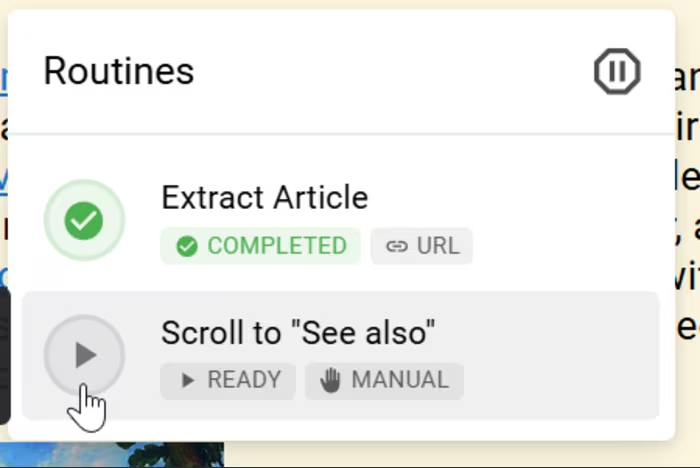
While it runs, the same control stops that Routine.
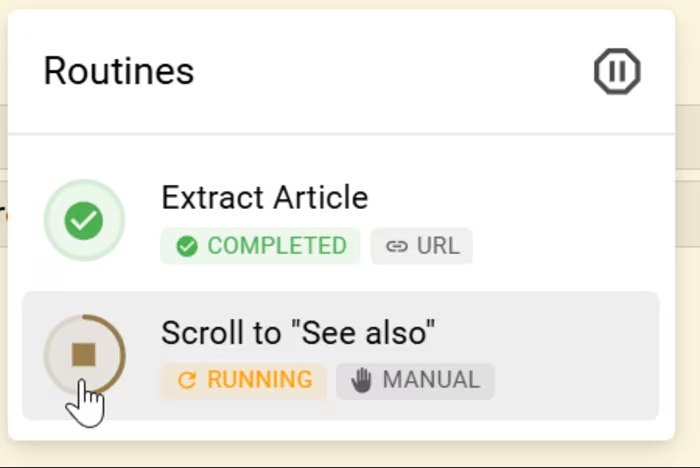
After completion, select the Routine again when you want to rerun it.
Manage Routines
Open Definer Options → Sources → [source] → Settings → Routines. The list runs from top to bottom, so drag Routines into the order you want automatic Routines to be considered.
You can then:
- use the switch beside a Routine to enable or disable it;
- open the Actions menu with the three-dot icon and select Edit to change it;
- open Actions and select Duplicate to create a copy you can adapt;
- open Actions, select Delete, and confirm to remove it; or
- select Create Routine to start with an empty Routine.
Changes to the switch and order appear in the list immediately. Edits made in the editor appear after you select Save.
NOTE
If Create Routine or Duplicate opens an account or membership prompt, this source has reached its current Routine limit. Follow the prompt, or edit or remove an existing Routine.
Choose your next task
- Create or edit a Routine to build a first working Routine in the Visual Editor.
- Control when and how a Routine runs to choose a Trigger, repeat behavior, and interaction with other Routines.
- Choose and configure Routine Steps to find the right action and its visual-editor settings.
- Adapt Routine examples for common extraction and page-action patterns.
- Test and troubleshoot Routines before using them in regular lookups.
- Edit a Routine as JSON when you prefer the advanced JSON Editor.
- Use the Adblock Step to remove common ads, cookie notices, and popups.