Wiktionary
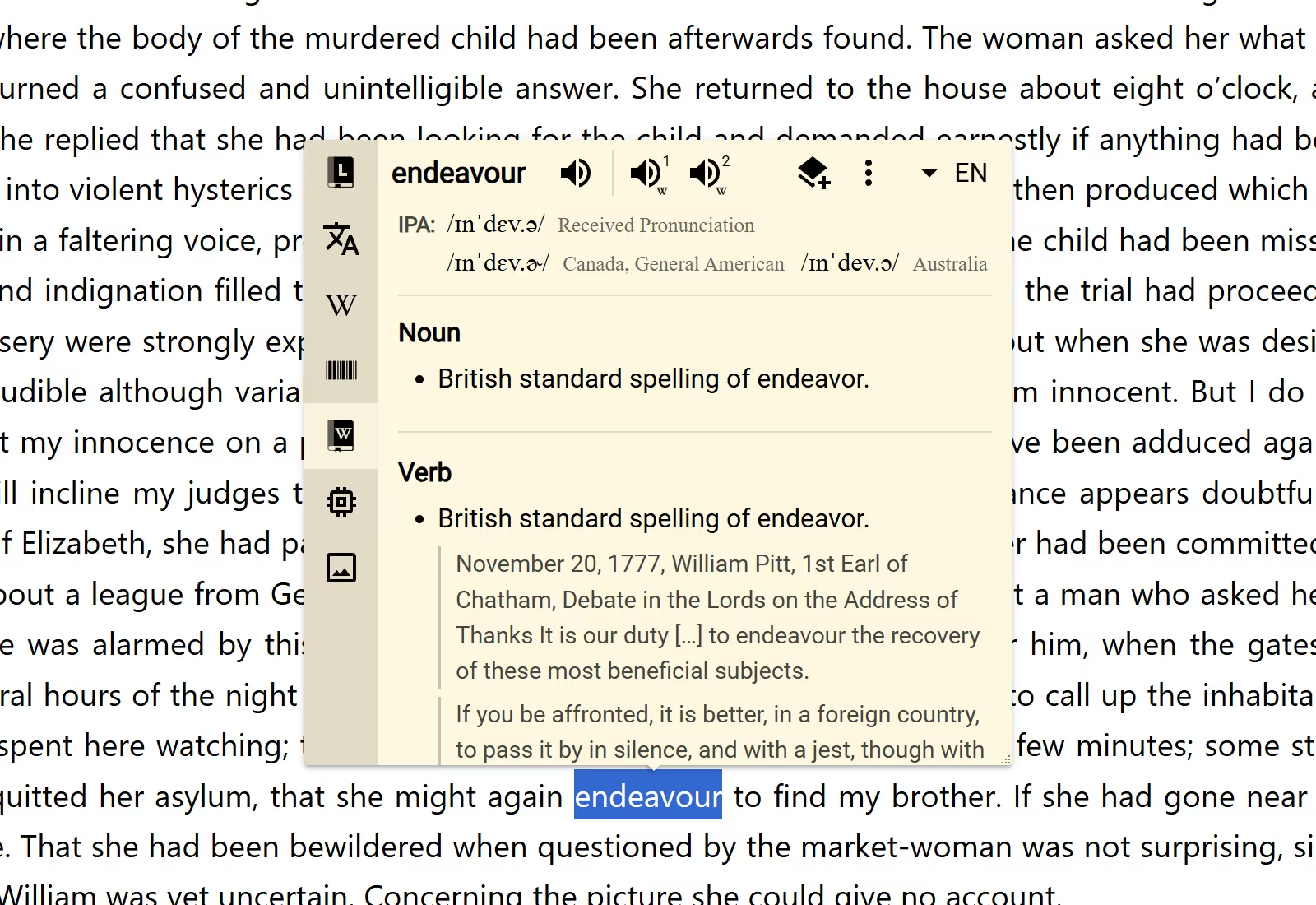
Wiktionary brings community-written dictionary entries into Definer. A result can include definitions, pronunciation, examples, word origins, synonyms, antonyms, and other relationships between words. Use it when you want a detailed word reference, especially for languages or word forms that a smaller dictionary may not cover.
Use Wiktionary
- Look up a word or phrase.
- Select the Wiktionary icon from the available results.
- Select More at the end of the result when you want to open the original Wiktionary entry.
If Wiktionary is not available, open Definer Options → Sources → New source → Built-in sources and select Wiktionary.
Choose the language of the entry
The lookup's result language identifies the language of the word you want to read about. Wiktionary edition controls the language used for definitions and other editorial text.
Open Definer Options → Sources → Wiktionary → Settings → Main and choose one of these approaches:
- Match target language follows the result language when a matching Wiktionary edition is available. This is the default.
- A named edition keeps definitions and editorial text in that edition's language. Choose this when you prefer one dictionary language across lookups.
The chosen edition also determines which Wiktionary website opens from More.
Choose the result sections
Under Result sections, turn sections on or off. The available sections are:
- Pronunciation and Pronunciation recordings;
- Usage examples, Etymology, and Anagrams;
- Synonyms, Antonyms, Derived terms, and Related terms;
- Broader terms, Narrower terms, and Coordinate terms; and
- Wholes, Parts, Descendants, Instances, Proverbs, and Manner-specific verbs.
The result shows only information present in the selected entry. For example, enabling Etymology does not add a word origin when the Wiktionary edition does not provide one.
The "More" button setting shows or hides the link to the original entry.
Save a Wiktionary entry
Wiktionary includes 2 Recipes: Wiktionary Term creates a structured Term item, while Wiktionary Dictionary Card creates a Card item. Both use the dictionary data available for that result.
Open Definer Options → History → Recipes to inspect the built-in Recipes. To customize one, change Recipe Name and select Save as copy.