History
History remembers the lookups you have opened, including their sources, languages, and page context. It gives you one place to return to a useful definition, translation, or explanation after the Bubble is gone.
See what you looked up
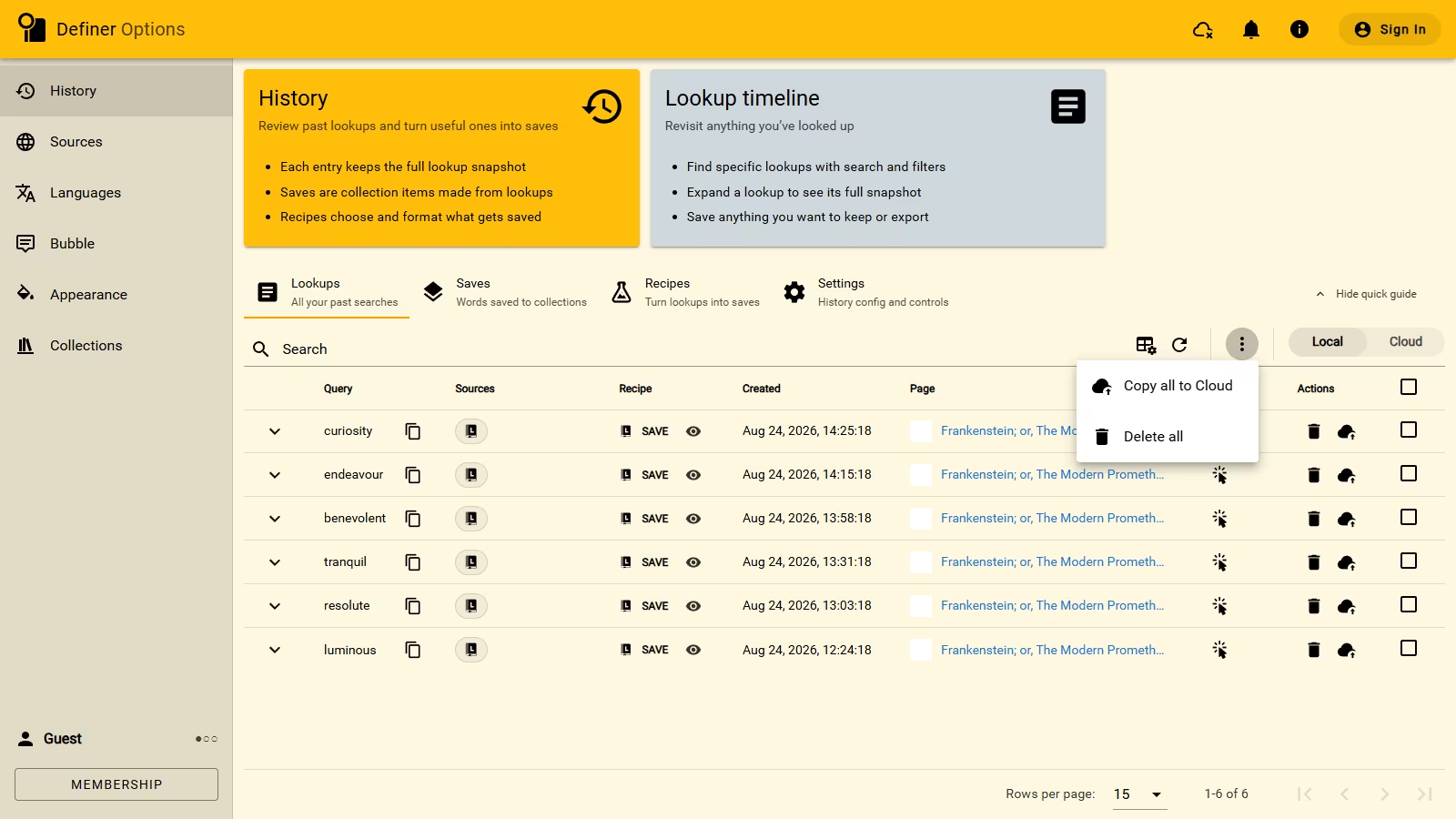
Open Definer Options → History → Lookups. The newest lookup appears first, with the query, time, page, and available results in the same row.
Use Search when you remember part of the query. The fields control beside it can show, hide, or reorder details that help you recognize a lookup.
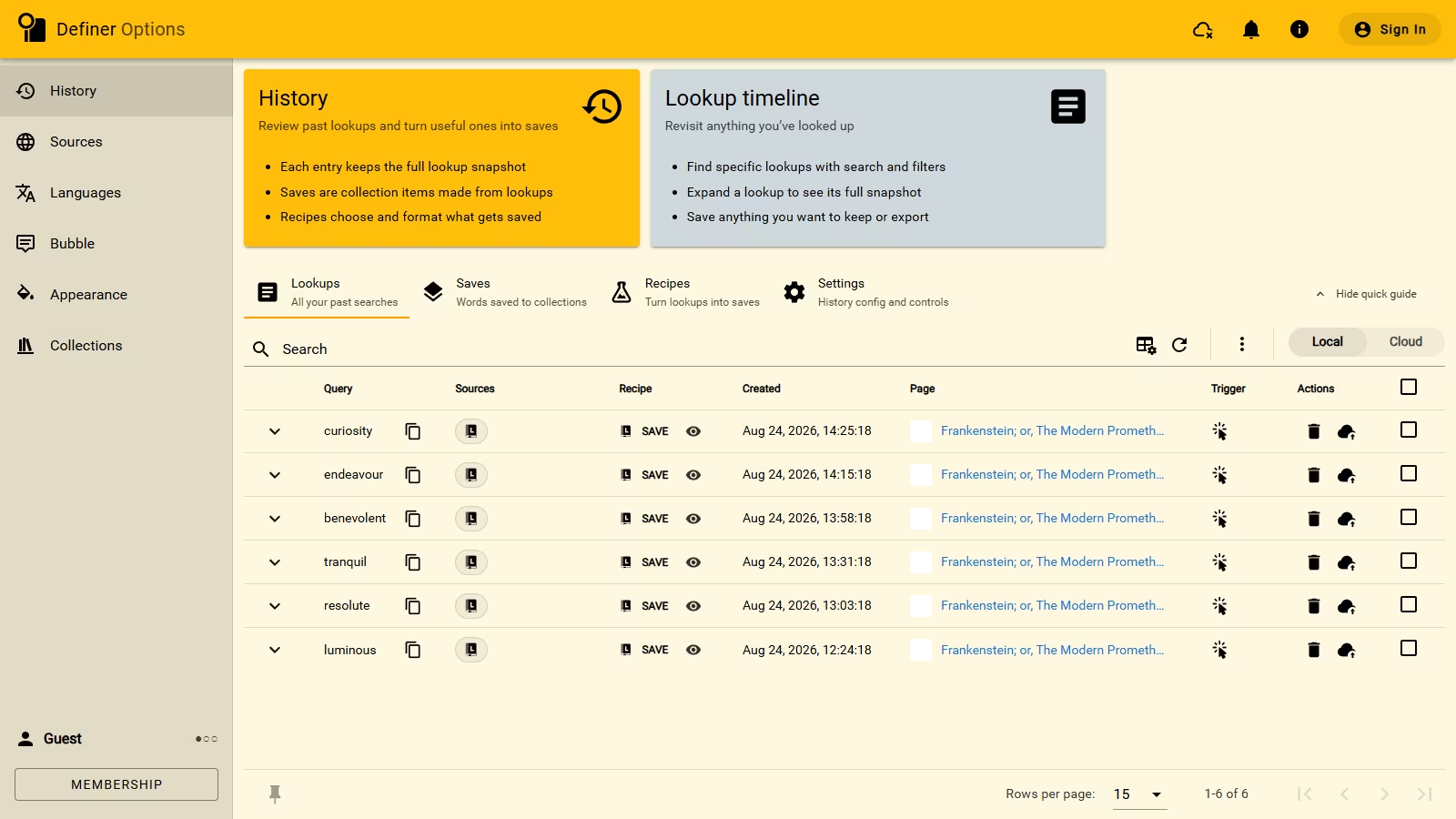
Open the complete lookup
Select the chevron at the start of a row. The lookup opens with the result that was active, along with its other source results, languages, variables, Recipes, and Saves.
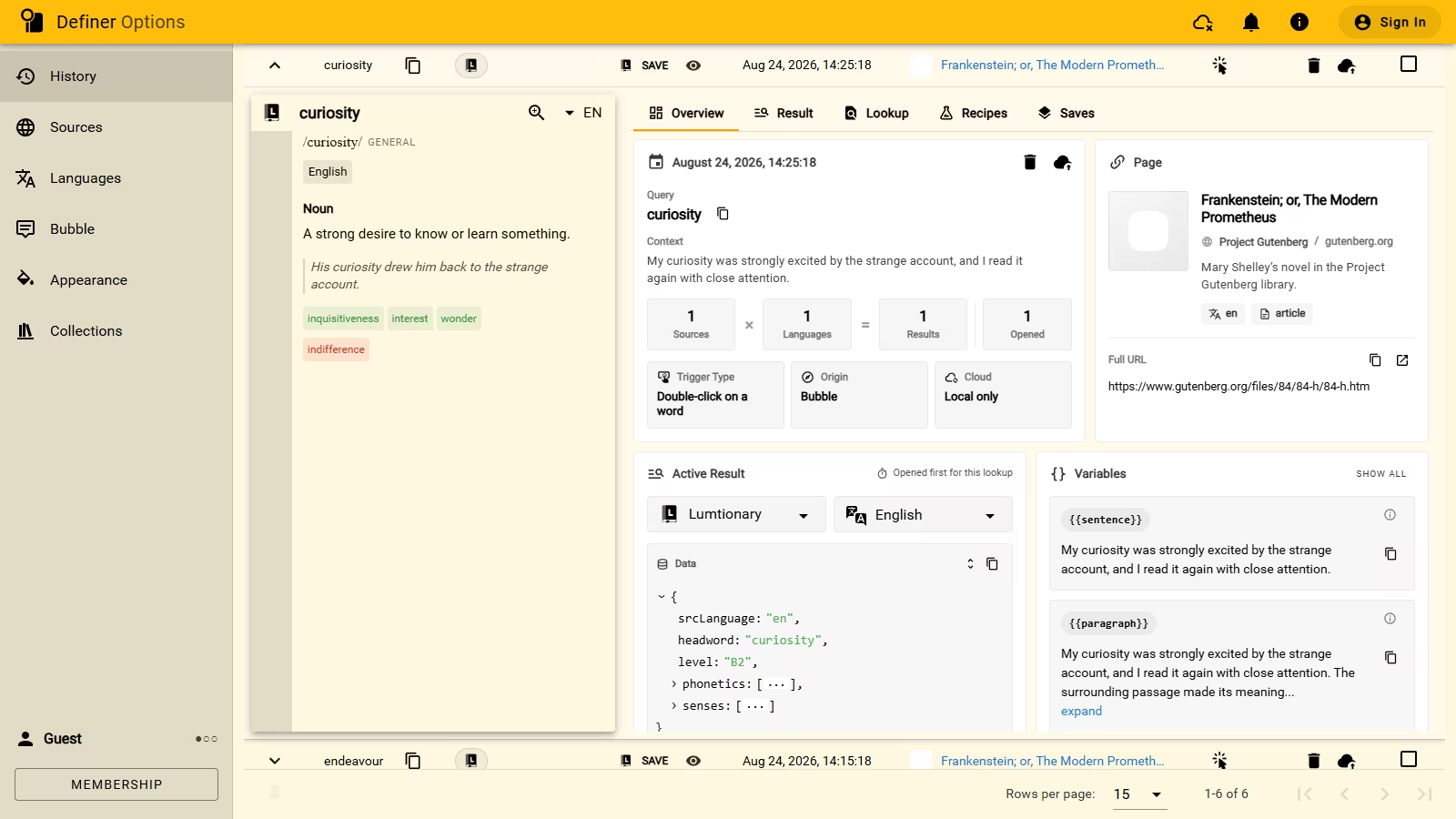
Select another source icon when you want a different kind of information from that same lookup. The Result and Lookup tabs show the recorded data, while Recipes and Saves connect the lookup to your Collections.
Save something from the past
You do not have to save every useful result immediately. Reopen an older lookup, open the source result you want, and use its Recipe or Save action to create a Collection item.
The Saves page brings all lookup-created Collection items together, including items that belong to different Collections.
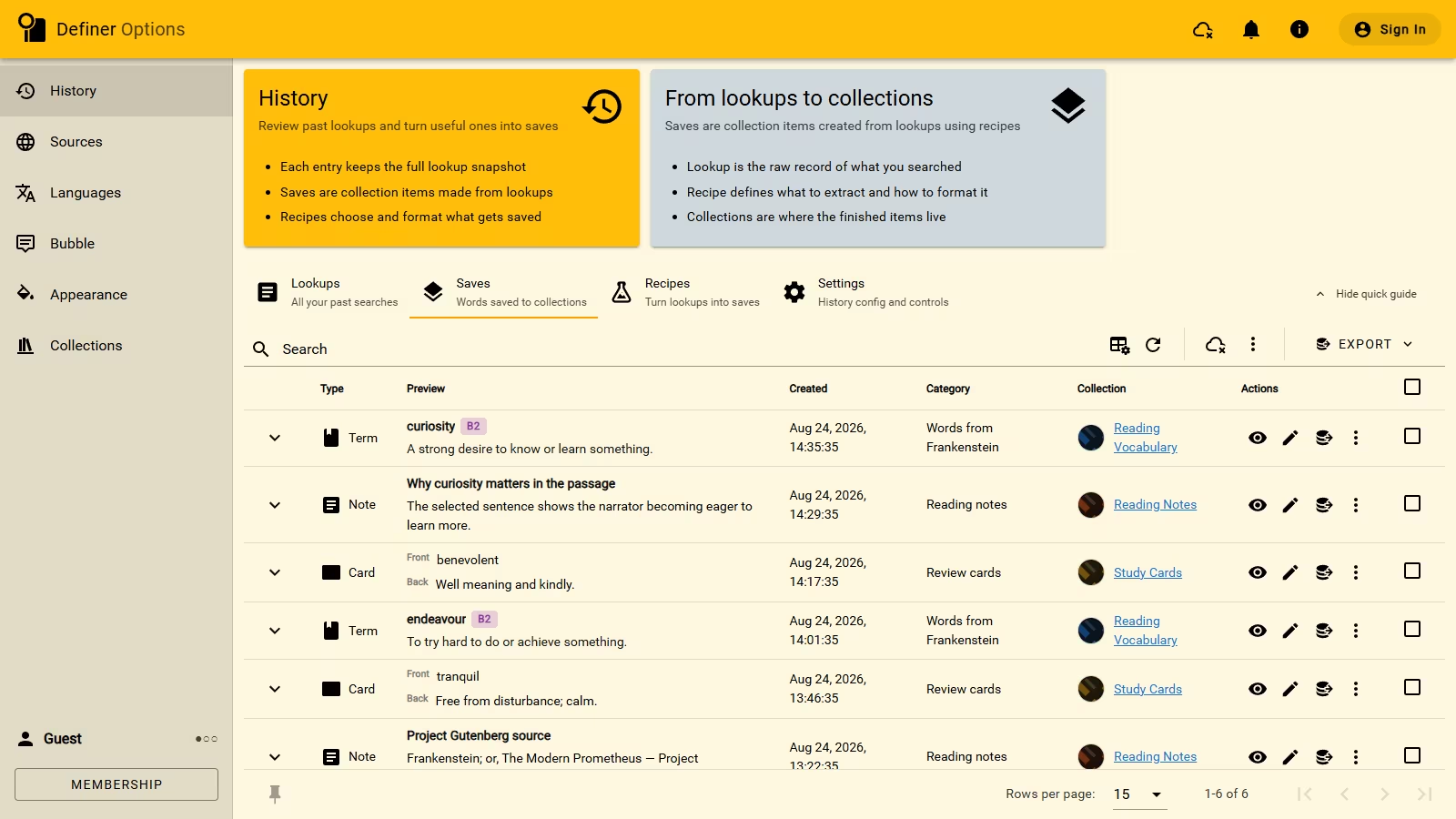
Move quickly while a lookup is open
The clock-shaped Recent control in a Bubble or Extension Window shows up to 10 recent lookups. Previous and Next move through the same timeline without opening Definer Options.
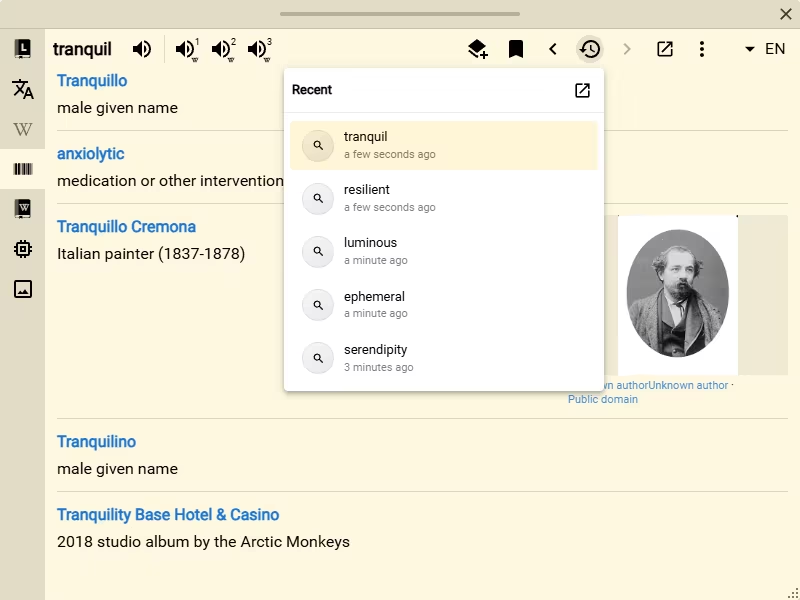
These controls are shortcuts for reading. The History page remains the main place to browse, search, expand, or remove lookups.
Remove lookups you no longer need
Use the trash action on a row to remove one lookup. Select several rows and use Actions when you want to remove them together.
WARNING
Deleting a lookup is permanent. If the same lookup also exists in Cloud History, deleting one copy does not automatically remove the other.
Keep History across devices
Cloud History keeps selected or newly recorded lookups with your account, making them available from another signed-in device. It is included with membership and has its own search and filtering tools.
Use History settings to change automatic recording, Cloud copying, result controls, or History hotkeys.