Custom AI Provider
Definer comes with built-in support for many popular AI services. But the world of AI moves fast, and new, exciting models pop up all the time. If your preferred provider isn't on the list, or if you're running your own local AI server, Custom is for you.
This feature allows you to connect Definer to any AI service that offers an OpenAI-compatible API endpoint.
What You'll Need
To set up a custom AI provider, you'll need:
- API Host: The exact OpenAI-compatible base URL given by the service, often ending in
/v1 - API Key: Your authentication token for the service
- Model Name: The specific model you want to use (e.g., "gpt-4", "claude-3-sonnet", "llama-2-7b")
Setting Up Your Custom Provider
- Open Definer Options: Right-click the extension icon and select "Definer Options"
- Navigate to AI source: Open the "Sources" page and find the "AI" source there, then click on "Settings"
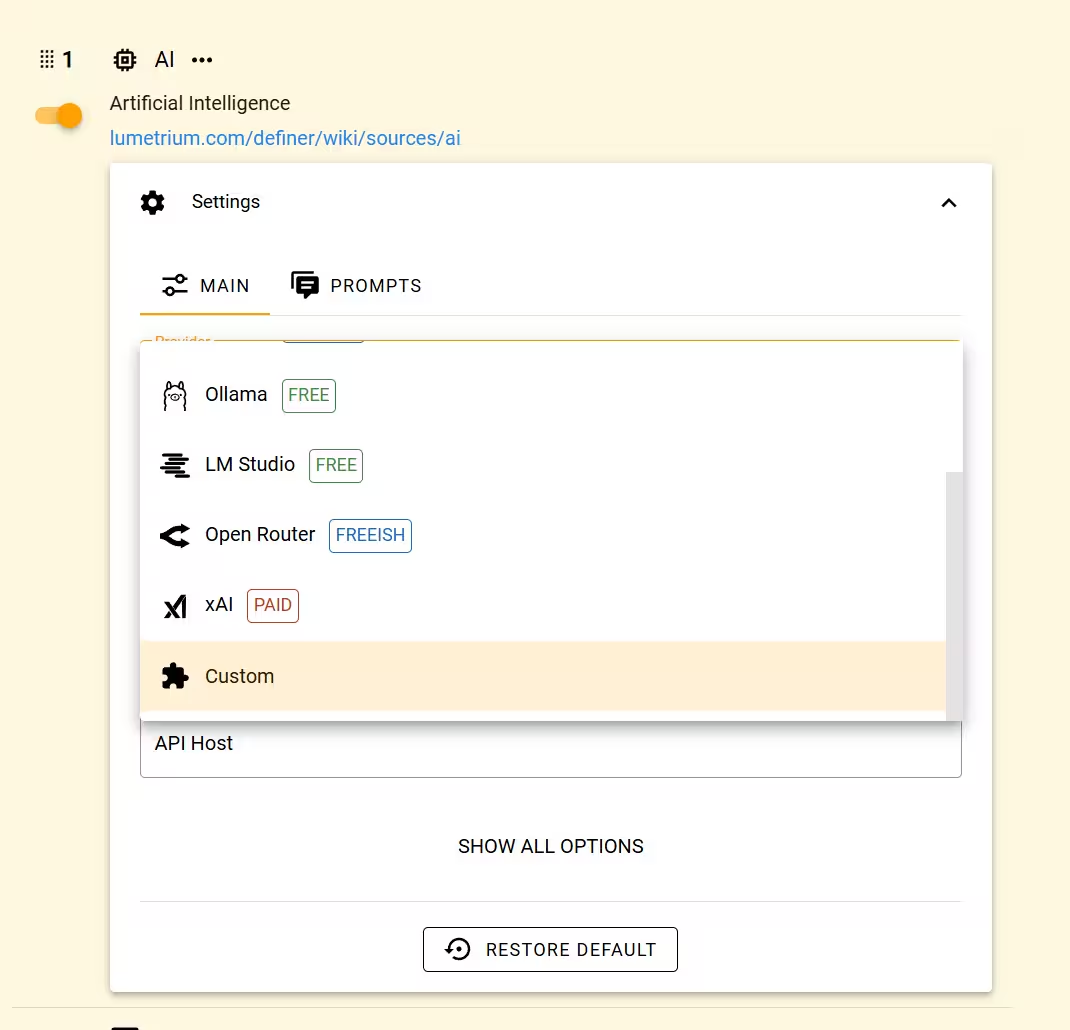
- Select "Custom" provider: Locate the "Provider" select and choose "Custom" from the dropdown (it's at the very bottom)
- Enter your details:
- Model: Specify the exact model name as required by your provider
- API Key: Paste your authentication key
- API Host: Enter the complete base URL from the provider's documentation, such as
https://api.yourprovider.com/v1
- Test setup: Enter a representative question in Preview. If it fails, compare the complete API Host and model name with the provider's documentation.
Choose between OpenAI and Custom
Use Definer's OpenAI provider for a direct OpenAI connection. Use Custom when another service describes its API as OpenAI-compatible and gives you a compatible base URL, model name, and API key.
Do not remove a path such as /v1 from the address. Definer uses the API Host exactly as you enter it.
Popular Compatible Services
Many AI providers offer OpenAI-compatible APIs, including:
- Fireworks AI hosts open models behind OpenAI-style APIs.
- Groq focuses on fast inference.
- DeepInfra provides serverless inference for open-source models with OpenAI-compatible chat completions.
- Mistral AI provides its models through an OpenAI-compatible endpoint.
- Cerebras provides an inference API for large open models.
- vLLM OpenAI Server lets you host an OpenAI-compatible endpoint locally or in the cloud.
- llama.cpp server provides a lightweight local server with a
/v1/chat/completionsendpoint. - LiteLLM Gateway presents an OpenAI-compatible interface to multiple services.
Always check each provider's docs for the exact API Host and model IDs.
Troubleshooting Common Issues
Running into trouble? Here are some of the most common issues and how to solve them.
"Invalid API Key" Error
- Double-check your API key is copied correctly (no extra spaces)
- Verify key is active and has sufficient credits/quota
- Ensure you're using the correct authentication format
"Model Not Found" Error
- Confirm the model name matches exactly what your provider expects
- Check if the model requires a specific format (some use prefixes like "openai/" or "anthropic/")
- Verify your API key has access to the specified model
Connection Timeouts
- Test your internet connection
- Try a different API Host if your provider offers multiple
- Check if your provider has rate limiting that might be causing delays
Unexpected Responses
- Some providers have different prompt formatting requirements
- Adjust model name if responses seem off-topic or poorly formatted
- Consider switching to a different model variant if available
Have questions about using the Custom AI provider with Definer?
Feel free to create a new post with the "Help" flair in the r/lumetrium_definer subreddit.