Dictionary API
Dictionary API turns the current lookup text into a network request and renders selected fields from the returned dictionary data.
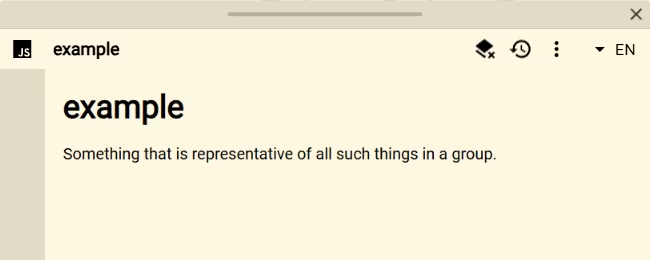
Setup
- Add or open a Script source in Definer Options.
- Replace the code in its editor with the script below.
- Look up a word supported by the demo endpoint.
The example uses the public Free Dictionary API and does not require an API key. Its request path is configured for English words. Network access and the endpoint's continued availability are still required.
Script
const query = definer.lookup.query.trim()
const saved = definer.result.getData()

definer.output.setHtml(`
	<article class="dictionary-result">
		<h1></h1>
		<p class="dictionary-result__status">Loading definition…</p>
		<p class="dictionary-result__definition"></p>
	</article>
`)
definer.output.setCss(`
	.dictionary-result { padding: 18px; }
	.dictionary-result h1 { margin: 0 0 8px; }
	.dictionary-result__status { opacity: 0.65; }
	.dictionary-result__definition { line-height: 1.55; }
`)

const heading = document.querySelector('.dictionary-result h1')
const status = document.querySelector('.dictionary-result__status')
const definition = document.querySelector('.dictionary-result__definition')
heading.textContent = query

try {
	const loadedFromSaved = saved.query === query && Array.isArray(saved.entries)
	let entries = loadedFromSaved ? saved.entries : null
	if (!Array.isArray(entries)) {
		const endpoint =
			`https://api.dictionaryapi.dev/api/v2/entries/en/` +
			encodeURIComponent(query)
		const response = await fetch(endpoint)
		if (!response.ok) {
			throw new Error(`Dictionary request failed (${response.status})`)
		}

		entries = await response.json()
		definer.result.setData({ query, entries })
	}

	const firstDefinition = entries?.[0]?.meanings?.[0]?.definitions?.[0]?.definition
	status.textContent = loadedFromSaved ? 'Loaded from saved data' : ''
	definition.textContent = firstDefinition ?? 'No definition was returned.'
} catch (error) {
	status.textContent = 'Could not load this definition.'
	definition.textContent =
		error instanceof Error ? error.message : String(error)
}
How it works
The script URL-encodes definer.lookup.query, requests matching data with the standard Fetch API, checks the response, and parses its JSON body. It renders the first returned definition instead of dumping the entire payload.
The complete returned entries are stored with definer.result.setData(). Reopening that lookup result can therefore use its saved response without repeating the request. A fresh lookup of the same text has its own result data. Loading, empty, and failure states are handled inside the Script result so a remote error does not leave a blank document.
Customize it
- Choose different fields from the response, such as additional meanings or examples.
- Replace the endpoint and adapt the response mapping to its schema.
- Use
definer.lookup.languagewhen an API accepts a language parameter. - Save additional data only when the reopened result needs it.
Limitations
This demo requests the endpoint's English dictionary. The remote service controls its coverage, rate limits, response schema, and uptime. A public API can change without a Definer update, so production scripts should keep explicit error and empty-result handling.
Return to the Script Catalog.